
Good IPTV support is one of the criteria we ask you to check with any provider, so it would be odd not to explain ours in the same plain terms. This page tells you how support works at ClearPick IPTV, which channels and languages are available, what we can and cannot help with, and exactly what to put in a message so the first reply moves you forward. Whether you have not ordered yet or you are already watching, the same support handles your message.
We sell three IPTV packs ourselves, and we write our guides as a buyer would want to read them: criteria, checklists, honest limits. This hub applies that method to support itself. Below, you will also find the two pages in this section: the contact page with every way to reach us, and About ClearPick IPTV, which explains who we are and how we write.
How our IPTV support works
We keep it simple: two channels, two languages, and both channels open every day of the week. There is no ticket number to quote and no phone menu to navigate. You write, the same people read every message, and the conversation continues in the channel you started it in.
| Channel | Best for | Languages | Days |
|---|---|---|---|
| Detailed questions, order follow-up, anything you want in writing | English and French | 7 days a week | |
| WhatsApp (+33 6 44 65 43 13) | Quick questions and step-by-step help while you sit in front of the TV | English and French | 7 days a week |
| Contact form on the site | Writing from the site without opening your mail app | English and French | 7 days a week |
The contact form on our contact page sends your message by e-mail, so it joins the same queue as any other e-mail. Pick whichever route is easiest at the moment. If you start on WhatsApp and later need to send something long, such as several screenshots, you can switch to e-mail and mention your earlier conversation.
One point about the WhatsApp number: it is an international number, so it may look unfamiliar next to Canadian contacts in your phone. Messages through WhatsApp work the same way wherever the number is registered. Save it under a clear name such as “ClearPick IPTV support” so you can find the conversation again later.
E-mail or WhatsApp: choosing the right channel
Both channels reach the same people and both are available every day. They suit different situations, though, and choosing well makes the conversation smoother for you.
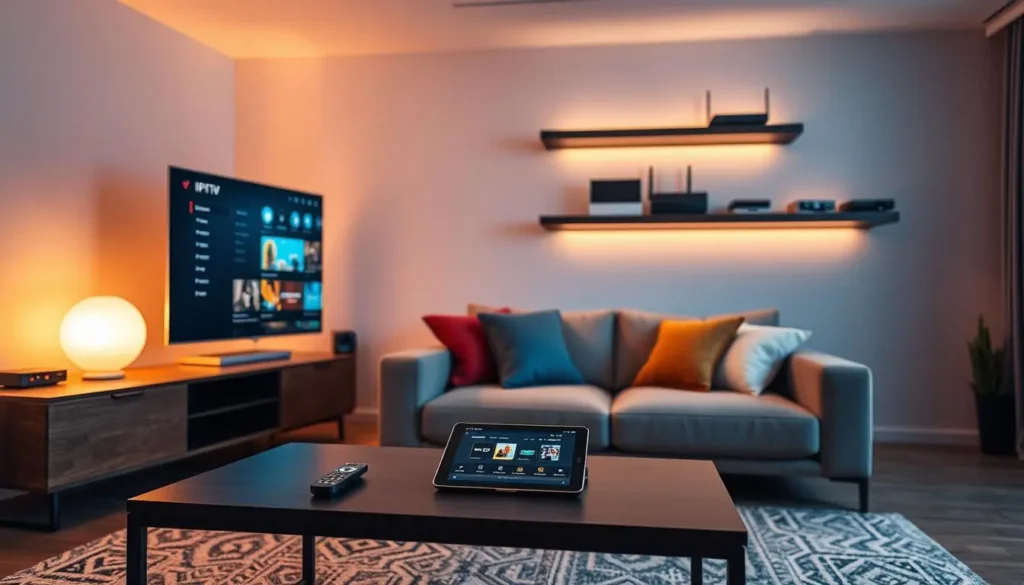
When WhatsApp works best
You are sitting in front of the TV, the player is open, and you want to go step by step: “I am on the login screen, which option now?” Short messages, a photo of the screen, a quick next step. It is also handy for a simple question before you order.
When e-mail works best
You want a written record, you have several questions at once, or you are following up on an order. E-mail also suits long explanations, several attachments, or a question you are asking on behalf of someone else in your household.
WhatsApp suits you if
- You want to go one step at a time with the TV in front of you
- A photo of the screen says it better than words
- Your question is short and specific
E-mail suits you if
- You want everything in writing for later
- You have several questions or attachments
- You are following up on an order or payment
A small courtesy that helps everyone: start one conversation per topic and keep it in one channel. If you send the same question by e-mail and WhatsApp at once, two replies may cross and the thread becomes harder to follow, for you as much as for us.
English or French: choosing your language
Support answers in English and in French. Write in the language you are most comfortable with, and the reply comes in the same language. You do not need to set a preference anywhere; the language of your message is enough.
Write as you speak
Plain everyday English or French is perfect. You do not need technical vocabulary; describe what you see.
Switch if you like
A bilingual household can switch languages between messages. We follow your lead.
Menus in another language
If your player menus are in a different language from your messages, quote the menu words exactly as they appear.
Content language questions
Support language is not catalogue language. For a specific content language, ask before ordering.
That last tile matters. Our catalogue includes French-language and international content, and support can tell you what is available for a specific language before you pay. We would much rather answer that question in advance than have you discover after ordering that a language you need is not covered the way you hoped.
If you write in French, you are welcome to use Québécois vocabulary or the terms you use every day at home. The goal is to understand your situation, not to judge your phrasing. The same goes for English: there is no need for technical words when “the picture stops every few seconds” says exactly what we need to know.
What IPTV support can help with before you order
Support is not only for problems. Many of the most useful conversations happen before someone orders, and we encourage them. A question asked before payment costs you nothing but a message, and it can save you from choosing the wrong pack or the wrong device.
| Your question | What we can tell you | Page to read first |
|---|---|---|
| Will my device work? | Whether your device family is supported and which players to look for | Best devices for IPTV |
| Which player should I use? | Which login format suits it and where to find it in your official store | Best IPTV apps |
| Is a specific language available? | What the catalogue offers for that language | Ask support directly |
| Which pack fits my home? | How the three packs differ on catalogue and picture options | Compare our IPTV plans |
| Can two of us watch at once? | The conditions and price for extra simultaneous screens | IPTV on multiple screens |
| How does payment work? | Card or PayPal, in Canadian dollars, paid once | Paying for IPTV in Canada |
Questions about compatibility are the ones we most like to receive before an order, because they are the easiest to settle in advance and the most frustrating to discover afterwards. If you are unsure whether your TV model can run a suitable player, tell us the brand and the menu style you see, and we will tell you what to look for in its official store.
When you ask a pre-order question, tell us a little about your home: the device you plan to use, the room, the kind of viewing you do and whether anyone else watches at the same time. That context lets us answer the question you actually have, not a generic version of it.
After you order: access, setup and playback
Once you have ordered, support follows you through every stage, from the access e-mail to the first channel and beyond. These are the stages where people write to us most, and what we can do at each one.
- Order placed
Access e-mail
Your details are e-mailed within minutes. If nothing arrives, check spam and promotions, then write with the address you ordered with.
- Setup
Login in the player
We help you choose between Xtream Codes and the M3U link, and walk you through the fields in your player.
- First evening
Guide and menus
An empty guide, shifted times or a missing list. We help you find the setting responsible.
- Daily use
Playback issues
Buffering, freezing, a channel that will not start. We work through the cause with you.
- End of term
Ordering again
Nothing renews automatically. If you order again, we help you update the saved login on each device.
At every stage, our self-help guides are a good first stop, and support picks up where they leave off. The Xtream Codes guide and M3U setup guide cover login, the TV guide setup page covers listings, and the troubleshooting hub sorts playback problems by symptom.
One habit makes every later conversation easier: keep the access e-mail, your device list and any support replies together in one folder. When you write again months later, you can quote the earlier answer, and we can pick up where we left off instead of starting from scratch.
What IPTV support cannot do for you
Being clear about limits is part of good support. There are a few things we are not able to do, either because they belong to someone else or because they fall outside what we sell. Knowing them in advance saves you a wasted message.
Outside our reach
Player licences belong to the app publishers; we are independent from them, so check the current price on the app’s official website. Device repairs and router settings specific to your internet provider belong to their makers and providers. Sharing access with another household is not something we can arrange, whatever the circumstances. And we cannot install players from outside official app stores: we only help with apps from your device’s official store.
We also do not give legal opinions. The technology behind IPTV is legal; whether a service is legal depends on the broadcasting rights it holds, so check before subscribing to any provider. Our guide Is IPTV legal in Canada sets out a neutral way to check.
Within those limits, we help as far as we reasonably can. We can explain where a licence setting usually sits in a player, suggest which router setting to look for, or tell you what to ask your internet provider. We simply cannot act on someone else’s product on your behalf.
We will never ask for your password in public: support only needs the e-mail address you ordered with to find your account. If anyone claiming to be us asks for your details in a comment thread, a forum or a social media message, it is not us. Write to us directly through the channels on this page.
A question before you order
Ask about your device, your player, a language or extra screens. We answer in English and French, 7 days a week.
Writing a message that gets solved in one reply
The quickest resolutions come from clear first messages. Every missing detail means a question back and a reply from you before anything can move. Follow these steps and the first answer can usually go straight to the fix.
- Say what you are using. Name the device and the player app, for example “Fire TV Stick with TiviMate” or “LG TV with IBO Player”.
- Describe what you see. One sentence is enough: “the list loads but channels stay black” or “the guide is one hour late”.
- Say when it started. Tell us whether it worked before, and what changed: a player update, a new router, a move to another room.
- Say what you already tried. Restarts, a second device, a lower quality. It stops us suggesting steps you have done.
- Add the e-mail used for your order. This lets us find your account straight away.
- Attach a photo if you can. A picture of the error message often says more than a paragraph.
A complete first message. No password needed: your order e-mail address is enough to find your account.
You do not have to fill in every line for a simple question. “Which player do you suggest for a Samsung TV?” needs no order e-mail and no error photo. The template is for problems, where each missing line costs a round of questions. For anything that is not working as expected, though, the six lines are worth the extra minute it takes to write them, because they turn a guessing game into a direct answer.
A support conversation, start to finish
To show how the advice on this page plays out, here is a scenario we use to illustrate a typical exchange. It is built from the kinds of messages we see, not a quote from a real customer. Picture a viewer in Ottawa who has just set up an LG TV and cannot get past the login screen.
Their first message on WhatsApp says: “LG TV, IBO Player, Xtream login. Error says server cannot be reached. Ordered this evening, access e-mail received. Restarted the TV and router, same result. Order e-mail attached below.” A photo of the error is included. Everything support needs is there in five short lines.
Why that message works: it names the device, the player and the login format, quotes the exact error, says what was already tried and gives the order e-mail. The reply can go straight to the likely cause instead of asking five questions first.
Because the error mentions the server, the reply points to the server field: check that the colon and port number at the end were typed, and that no space follows them. The viewer looks, finds the port missing, adds it, and the login goes through. The guide fills in a little later, and a final message asks about setting the TV’s time zone so the listings match Ottawa time. Support points them to the TV guide setup page and the conversation ends there.
Compare that with a first message that says only “it doesn’t work”. The reply then has to ask which device, which player, which error, whether anything was tried, and which e-mail was used for the order. Each question waits for an answer. The fix is the same in the end, but it arrives several exchanges later. The difference is entirely in the first message.
Message templates for common requests
Most messages we receive fall into a handful of families. For each one, here is what to include so the first reply can be useful. Copy the idea, not the words; your own description is always better than a template.
Say when you ordered and from which e-mail address, and confirm you checked spam and promotions.
Then: we look up the order and resend the detailsName the player and device, say which format you used and attach a photo of the exact error.
Then: we check the details and the field most likely at faultGive the device, the connection type (cable or Wi-Fi), a speed test from the TV room and the quality you watch in.
Then: we narrow it to network, device or streamGive the channel name exactly as shown, the group it sits in and the time you tried.
Then: we check that channel specificallyGive your pack, the peak number of screens playing at once, and each device with its player.
Then: we send the conditions and priceName the language and the kind of content you want, before you order.
Then: we tell you what the catalogue offersIf your message does not fit any family, write it anyway. The six steps above still apply: device, player, what you see, since when, what you tried, order e-mail. Those six details solve most unusual questions too.
For questions that involve several devices, add one line per device. “Living-room TV works, bedroom stick buffers, phone works” tells us at once that the account and the line are healthy and that the bedroom stick or its Wi-Fi signal deserves attention. That kind of comparison is often the single most useful clue in a message.
Screenshots and photos that help
A picture is the fastest way to share what you see, but not every picture helps equally. A blurry photo of a dark room tells us little; a sharp photo of an error box tells us a lot. A few habits make your images genuinely useful.
What makes a useful photo
Fill the frame with the message or the setting you are asking about, avoid glare from lamps and windows, and make sure the text is readable when you zoom in on your phone. One clear photo beats five rushed ones.
- The full error message, word for word
- The settings screen you are unsure about
- The guide next to the device clock, for time problems
- A speed test result taken in the TV room
Before you send a photo of a settings or login screen, look at it once more. If it shows your server URL, username, password or playlist link, crop that part out or send it only through a private channel to us. Never post such a photo anywhere public.
Short screen recordings can help too, for problems that come and go, such as a picture that freezes every so often. Ten seconds of video showing the moment it happens, with the player’s on-screen information visible, often tells us more than a still photo. Send it by WhatsApp or e-mail, whichever handles the file more easily on your phone.
Before you write: quick checks
Some issues can be solved in a minute at home. Try these first; if nothing changes, contact us and mention what you already tried. It makes the conversation shorter either way.
- Restart the TV, box or stick, then the router, and test again.
- Check your speed on the device itself: 10 Mbps per screen for HD, 15 Mbps for Full HD, 25 Mbps for 4K.
- Make sure no other screen is playing with the same credentials at the same time.
- Check that your access details are typed exactly as in your e-mail.
- Confirm your access is still within its 1, 3, 6 or 12 month term.
- Update your player app from your device’s official app store.
Steady speed to measure per screen before writing about buffering
The most common cause of sudden cuts: the same credentials playing on two screens at once. Each pack includes 1 simultaneous connection. You can install it on several devices, but only one can play at a time unless you have arranged more screens with us.
For deeper checks, our troubleshooting guides go step by step: fix IPTV buffering for pauses with a loading wheel, fix IPTV freezing for a picture stuck on one frame, and the IPTV not working checklist for when nothing plays at all.
Orders, payment and renewals
Many questions we receive are about what happens around the order itself, so here are the answers in one place. They are the same rules for every pack and every duration.
You pay once, in Canadian dollars, by card or PayPal. You choose a duration of 1, 3, 6 or 12 months. There is no automatic renewal and no contract, so nothing is charged again unless you decide to order. When your period ends, you simply choose whether to continue. Prices change from time to time, so we never quote them in support guides: see current prices on the plans page.
Your access is e-mailed within minutes, either as Xtream Codes (server URL, username and password) or as an M3U link. If you are unsure which format your player prefers, ask us and we will tell you before you enter anything. If you order again at the end of a term, use the details from the newest e-mail and edit the saved login on each device rather than adding a duplicate.
Pay once, choose the duration, decide again at the end. Nothing happens to your account without a decision from you.
Questions about payment are welcome before and after an order. If a payment does not go through, tell us which method you used, card or PayPal, and what message appeared. If you paid and no access e-mail arrived, give us the e-mail address you used at checkout; that is the quickest way for us to locate the order and send your details.
Extra screens on request
Each pack includes one simultaneous connection: you can install the same credentials on several devices in your home and watch on one at a time. If your household needs two or more screens playing at the same moment, that is something support arranges on request. We do not publish a multi-screen price or bundle, because the conditions depend on your situation.
To ask, write with your current or planned pack, the highest number of screens that play at the same moment on your busiest evening, and the device and player for each screen. Support replies with the conditions and the price, and nothing changes until you agree. Our guide to IPTV on multiple screens helps you count your real peak and check your bandwidth before you write.
Writing on behalf of someone in your household
Often the person who orders is not the person who watches most. A grown child sets things up for a parent, or one partner handles the technology for the whole home. That is perfectly normal, and support is happy to talk to whoever writes, as long as the access stays within the household.
- Say who watches and on which device, for example “my mother’s Samsung TV in her living room, same address”.
- Quote the order e-mail, even if it is yours and not theirs.
- Ask the viewer to describe what they see in their own words, then pass it on as written.
- If you are not at the TV, ask the viewer for a photo of the screen rather than guessing.
- Keep the conversation in one channel so the history stays together.
If the person you are helping lives at another address, the household rule applies: credentials stay with the people who live under one roof, and someone in a separate home needs their own pack. Support can help them choose one, but cannot set your access up in their home.
For setups done at a distance, a phone call between you and the viewer while you read our guides together often works well. Our setup section is written step by step for exactly that kind of guided session.
If you are not sure yet whether you need extra screens, ask anyway. Describe how your household watches and let support help you decide whether one connection covers you. Many homes find it does, once they count how often two screens really play at the same moment.
Keeping your account safe when you ask for help
Support conversations are one of the moments when details are most likely to leak, simply because people are in a hurry to fix something. A few rules keep your access yours.
Private channels only
Send account questions by e-mail, WhatsApp or the contact form, never in a public comment or group.
Order e-mail is enough
We find your account from the address you ordered with. There is no need to send a password.
Crop your screenshots
Remove login details from photos before sharing them anywhere other than with us directly.
One household
Credentials stay with the people you live with. We cannot help set them up in another home.
If you suspect someone outside your home has your details, write to us and explain what happened. We will tell you what can be done for your account. In the meantime, check every device in your home and stop any playback you do not recognise, so you know whether an unexpected stream is coming from inside or outside your household.
When IPTV support points you to a guide
Sometimes a reply from support includes a link to one of our guides. That is not a brush-off. Our guides are written from the questions that reach support, with screenshots, tables and checklists that are hard to fit into a chat message. Sending you the right page is often the clearest way to walk you through a longer process, and we stay available while you follow it.
You can also start from these guides yourself before writing. If a guide solves the problem, you are watching sooner. If it does not, tell us which guide you followed and which step went wrong; that is one of the most useful things a message can contain.
Judging IPTV support at any provider
Support is one of the nine criteria we suggest for scoring any provider in our guide to the best IPTV provider. Here is the support part of that scorecard, so you can apply it to us and to anyone else you are considering. Ask a real question before you pay, and score what comes back.
| Criterion | What a good sign looks like | What a warning sign looks like |
|---|---|---|
| Channels | Named channels such as e-mail and a messaging app, listed openly | A contact form only, with no other route |
| Languages | Clearly stated languages you can use | No mention of language at all |
| Pre-sale answers | Specific replies about your device, player and household | Pressure to pay before any question is answered |
| Honesty on limits | Plain statements of what is included and what is not | Vague promises of “unlimited” everything |
| Account safety | Never asks for your password in public | Asks you to post details in a group or comment |
Notice that the scorecard leaves out reply speed. Any provider can answer one pre-sale question quickly when it wants your order. What tells you more is the quality of the answer: does it address your device and your household, does it state limits plainly, and does it avoid pressure? Score those, and you will learn more than any promise on a sales page can tell you.
Our guide to IPTV red flags lists more warning signs to watch for when you compare providers.
Support words worth knowing
A short glossary of terms that come up in support conversations, so the replies read clearly.
- Access e-mail
- The e-mail sent within minutes of ordering, with your Xtream Codes details and M3U link.
- Order e-mail
- The address you used to order. Quote it so we can find your account.
- Xtream Codes
- A login made of a server URL, a username and a password.
- M3U link
- A single playlist address that opens the same catalogue as the Xtream login.
- EPG
- The electronic programme guide for live channels.
- Simultaneous connection
- A stream in progress. Each pack includes one.
- Term
- Your chosen duration of 1, 3, 6 or 12 months, with no automatic renewal.
You do not need to learn these terms to write to us. Describe what you see in your own words and we will translate into technical terms where it helps. The glossary is here for when you want to follow a reply in more depth, or to understand a setting in your player before you change it.
Packs and next steps
If you are still choosing, support can help you match a pack to your home. Here are the three packs we sell, with the facts that matter most when you ask your first question.
VIP Premium Pack
- 27,000+ channels
- 61,000+ series
- 155,000+ movies
- HD, Full HD and 4K
Ultimate 4K Pack
- 57,000+ 4K channels
- 47,000+ series
- 179,000+ movies
- 20 servers in Europe
The catalogue includes French-language and international content; for a specific language, ask support before ordering. To learn more about us, read About ClearPick IPTV. To compare durations and see current prices, visit the plans page.
Ready to write
E-mail, WhatsApp or the contact form: pick one, include your device, player and order e-mail, and we take it from there.
FAQ
When is IPTV support available?
Seven days a week, by e-mail and WhatsApp. The contact form on the site sends an e-mail to the same support.
Which languages do you answer in?
English and French. Write in either, and the reply comes in the same language.
Can I ask questions before ordering?
Yes, and we encourage it. Ask about devices, players, languages, extra screens or payment before you pay.
I have not received my access e-mail. What should I do?
Access is usually e-mailed within minutes. Check your spam or promotions folder, then write to us with the e-mail address you used to order.
Can I get more than one screen at a time?
Each pack includes 1 simultaneous connection. More screens are available on request; support explains the conditions and the price.
Do I need to send my password to get help?
No. The e-mail address you ordered with is enough for us to find your account. Never post your password anywhere public.
Can you help with a player licence?
We can help you set up the player, but licences belong to the app publishers. Check the current price on the app’s official website.
Is e-mail or WhatsApp better?
Both reach the same support. WhatsApp suits step-by-step help in front of the TV; e-mail suits detailed questions and anything you want in writing.
What should my first message include?
Your device, your player, what you see, when it started, what you already tried and the e-mail you ordered with. A photo of any error helps too.
Can I write to support in French?
Yes. Support answers in French and in English, and replies in the language you write in.
Can someone in my household write for me?
Yes. Anyone in your home can write, as long as they quote the order e-mail and describe the device and what they see.
Can you tell me whether a language is available before I pay?
Yes. Name the language and the kind of content you want, and we tell you what the catalogue offers before you order.