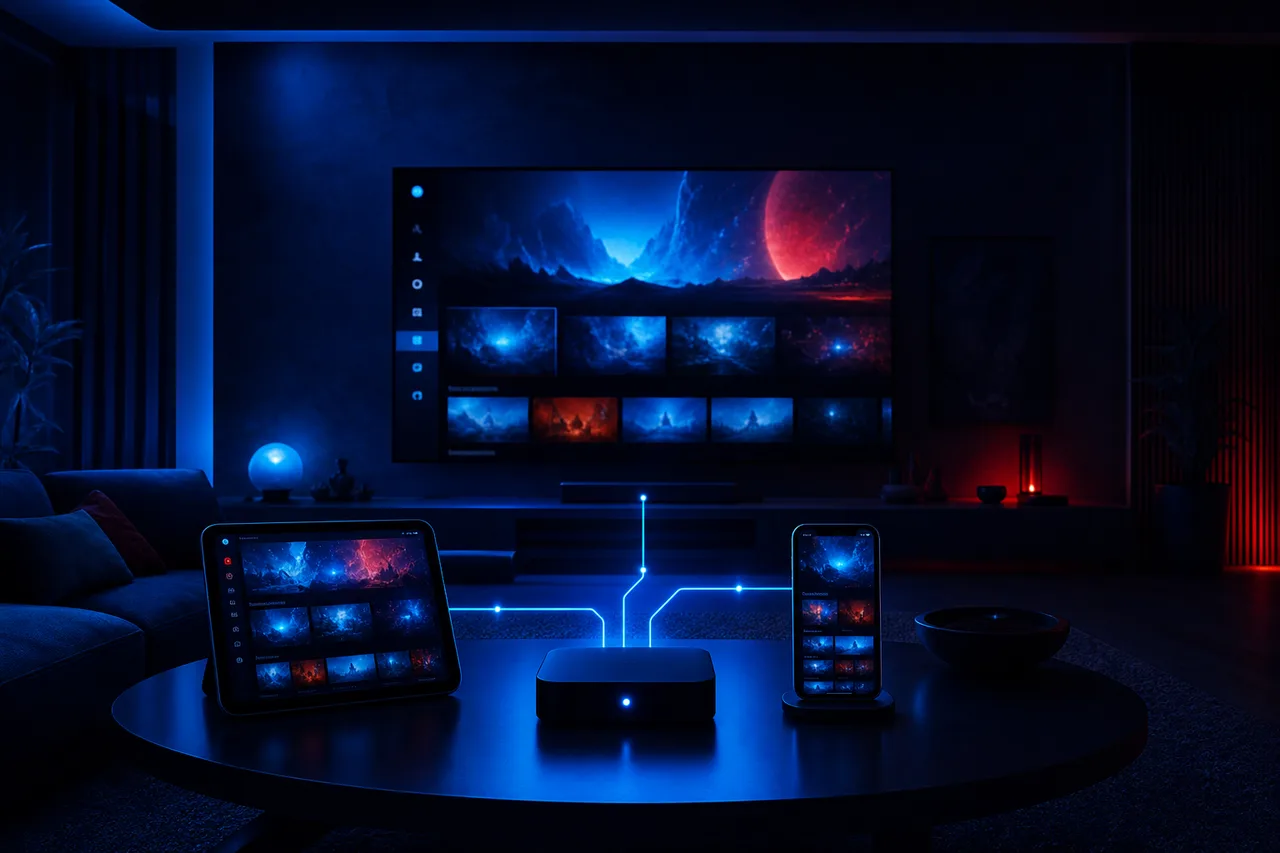
So, what is IPTV, in plain words? The letters stand for Internet Protocol Television. Instead of reaching your home through a coaxial cable, a rooftop antenna or a satellite dish, the picture travels just like an e-mail or an online map does: as data over your internet connection. Your device receives that data, a player app turns it back into moving pictures and sound, and you watch. That is the whole idea, and it is simpler than the acronym suggests.
The rest of this page explains what that means for you in practice: how the picture actually reaches your screen, the two ways you watch, what you need at home, how logging in works, what the program guide is and how to judge a provider without getting lost in big numbers. A disclosure: ClearPick IPTV sells its own packs, and we mention them where they fit, but every explanation below applies to any IPTV service you might be considering.
What is IPTV: the plain definition
IPTV is a way of delivering television, not a channel, a company or a box. A provider prepares video streams on its servers and makes them available to subscribers. When you choose a channel or a film, your device asks for that stream over the internet, receives it in a continuous flow of small pieces and plays it as it arrives. Nothing is stored permanently on your device; the picture is assembled on the fly, much like an online video.
Since the internet is the carrier, IPTV does not belong to one room, one wall socket or one piece of hardware. Any compatible device on a fast enough connection can play it: the big TV downstairs, a stick behind the bedroom set, a tablet propped up in the kitchen or a laptop on a desk. What links them all is the set of access details your provider sends you, which you enter into a player app on each device.
One-sentence version
IPTV is television delivered over your internet connection and watched through a player app on a compatible device, using access details from a provider.
If that sentence makes sense to you, you already understand more than many people who use IPTV every evening. The sections below simply unpack each part of it: the internet connection, the device, the player app and the provider, in the order the picture travels through them.
Internet Protocol Television, word by word
The full name can sound technical, but each word tells you something useful about how the service behaves in your home. Taking them one at a time is a quick way to understand why IPTV depends on things that never mattered with an antenna or a cable box.
Internet
The picture travels over the same connection you use for browsing and video calls, so it shares that connection with everything else at home.
Protocol
The common set of rules computers use to send data in small packets. It is why any compatible device can receive the picture.
Television
Live channels with a schedule, plus on-demand series and movies, presented in a way that feels familiar on a TV screen.
The practical lesson from the first two words is that your internet connection becomes part of your television. If your Wi-Fi is weak in the living room today, an IPTV picture there will inherit that weakness. If your connection is strong and steady, IPTV can look every bit as good as any other source. That is why so much of the advice on this site is about speed, routers and cables, and not only about providers.
Deep dive: what “streaming in packets” means for you
A stream is broken into a constant flow of small packets of data. Your player keeps a short reserve of them, called a buffer, so that tiny delays on the line do not show on screen. When the connection slows for longer than the buffer can cover, the picture pauses while the reserve refills. That is what people mean by buffering. A steadier line, a cable instead of distant Wi-Fi, or fewer devices competing at the same moment all help the buffer stay full.
How IPTV reaches your screen
Picture a chain with four links. The provider sits at one end, your eyes at the other. If one link is weak, the whole chain suffers, so it helps to know what each one does and who is responsible for it.
The provider prepares the streams and keeps them available on its servers, along with the lists of channels, series and films and the information for the program guide. Your internet connection carries the streams from those servers to your router, and from there to your device by cable or Wi-Fi. Your device, such as a smart TV, a box, a stick or a phone, receives the data and decodes it into video. The player app on that device reads your access details, organizes the content into menus and shows the picture.
Notice that the provider and the player are two separate things. This surprises many newcomers, who expect one app to do everything, as a cable box does. With most IPTV services, you pick the player you like, then add the access details your provider sends you. If you later change provider, you can keep your favourite player; if you dislike the player, you can change it without changing provider.
Why this matters when something goes wrong: a frozen picture can come from any of the four links. Testing another player with the same details, or the same player on another device, is the quickest way to find out which link is weak. Our troubleshooting section is organized around exactly this idea.
Live channels versus on demand
IPTV gives you two different ways to watch. Understanding them helps you read a catalogue, because a big figure in one column tells you very little about the other. Some households live almost entirely in one mode; most mix both.
| Feature | Live channels | On demand |
|---|---|---|
| When it plays | In real time, on a schedule | Whenever you press play |
| Pause and resume | Depends on the player and the service | Yes, like any video library |
| How you browse | Channel list or program guide | Title, category or search |
| What it feels like | Traditional television | A personal film and series library |
| What drives quality | Steady delivery at that very moment | The source file and your connection |
| Sensitivity to busy evenings | Higher, as there is little time to buffer | Lower, as the player can build a reserve |
Live channels behave like the television you grew up with. You flip through a list and land on whatever is airing. Many players also show the program guide, a grid that tells you what is on now and next, which we explain further down. Live viewing is the more demanding of the two for your connection, because the player cannot get far ahead of real time.
On demand works like a video library. You choose a series or a film, start it, stop it and come back later, often exactly where you left off. For people who rarely watch anything at a fixed time, this side of the catalogue is usually the one that matters most, and it is worth comparing the series and movie figures of any pack as carefully as the channel count.
How IPTV differs from antenna, satellite and cable
Television can reach your home in four broad ways. Each one has a different road for the picture, different equipment and different strengths. Seeing them side by side makes it clearer what IPTV changes and what stays the same.
| Method | How the picture arrives | Equipment at home | What it depends on |
|---|---|---|---|
| Antenna | Over the air from a transmitter | An antenna and a tuner | Distance and obstacles |
| Satellite | From a satellite to a dish | A dish and a receiver | A clear view of the sky |
| Cable | Over a line installed for TV | The provider’s box | The line and the provider’s equipment |
| IPTV | Over your internet connection | A device you choose and a player app | Your speed, your device and the provider |
The big change with IPTV is that there is no dedicated television line or dish. Your internet connection does the job, which means no installation appointment and no equipment to return, but also means your television now shares capacity with everything else online at home. If you are weighing IPTV against your current setup, our side-by-side article IPTV vs cable goes through equipment, commitment, reliability and screens in detail.
What you need at home
The good news is that most households already own the essentials. Run through this list before you order anything; if every line is true, you are ready.
- An internet connection with enough steady speed for the quality you want, measured on the device you will watch on.
- A screen that can run a player: Samsung and LG smart TVs, Android TV and Google TV boxes, Fire TV Stick, Apple TV, iPhone and iPad, Android phones and tablets, and computers all qualify.
- One of the supported players, taken from that device’s official app store: IPTV Smarters Pro, TiviMate, Smart IPTV, IBO Player, XCIPTV or GSE Smart IPTV.
- Your access details from a provider, either as Xtream Codes or as an M3U link.
- A few minutes to enter those details the first time, and a little patience while the lists load.
Steady speed per screen playing
Those figures add up when several screens play at the same moment, and they come on top of whatever else your household does online. Picture a Full HD television in the den and an HD tablet upstairs, both playing: that is 25 Mbps of steady speed spent on television alone. To see what really reaches the screen, test the speed from the TV or box, not from a phone beside the router, and do it when the household is busiest. If you are aiming for 4K, read 4K IPTV explained, because 4K also needs a 4K TV, a capable device and the right cable.
Some player publishers charge for a licence. Check the current price on the app’s official website. We are independent from app publishers, so we cannot sell you a player licence or set its price.
Checking your home before you order
Ten minutes of checking before you buy anything, from any seller, saves most of the frustration people associate with a first IPTV evening. None of these steps needs technical knowledge; they only need the remote, a phone and a moment when the household is doing what it usually does in the evening.
- Pick the screen that matters most. Decide which TV or device will carry most of your viewing, and do every other check on that one.
- Look in its official app store. Search for one or two of the supported players. If one appears, the device is a candidate; if none does, plan for a small box or stick.
- Test the speed where you watch. Use a speed test on that device, not next to the router, at a busy evening hour, and repeat it once or twice.
- Count the screens that play together. Think of your busiest evening and note how many screens would be playing at the same moment.
- Note your must-have languages. If one language matters, write it down so you can ask the seller about it before paying.
- Send one question. Put your device, screen count and language to the seller’s support and see how clearly they answer.
When all six steps are done, you know whether your device is ready, whether your connection can carry the quality you want, how many simultaneous connections you need and whether the catalogue covers your language. That is everything a seller needs to give you a straight answer, and everything you need to compare offers fairly.
Tip: if the speed test results jump around a lot between runs, steadiness is your weak point rather than raw speed. A network cable to the TV, or moving the router out of a cupboard, often fixes that before you spend anything on the service itself.
Devices that can run IPTV
Almost any modern screen can run IPTV, but some do it more comfortably than others. The device decides which player apps are available, how quickly menus respond and whether 4K is possible. Start with the screen you watch most, usually the living-room TV, and check its official app store for one of the supported players.

A quick way to choose
- Smart TV: nothing extra to plug in; app choice depends on the TV’s system.
- Android TV or Google TV box: the widest choice of players and easy updates.
- Fire TV Stick: compact and simple; check the model if you want 4K.
- Apple TV, iPhone, iPad: smooth apps from the official store.
- Phone, tablet, PC: handy for a second room or for testing.
If your TV’s store does not list any supported player, that is not a dead end. A small box or stick plugged into an HDMI port turns almost any television with a spare input into an IPTV screen. Our device guide compares the options on ease of use, speed and 4K support, and dedicated pages cover the Fire TV Stick and Samsung and LG smart TVs step by step.
Whichever device you choose, keep its system software up to date and avoid filling its storage to the brim, since players need some room for lists and guide data. A device that is several years old may still play HD comfortably but struggle with very large catalogues or with 4K; that is normal, and it is often the cheapest link in the chain to upgrade.
Player apps: the window, not the view
The player app is what you actually look at every evening: the menus, the channel lists, the guide grid, the search box. It is easy to think of it as “the service”, but it is only the window. The content you see through it comes from the provider whose access details you entered.
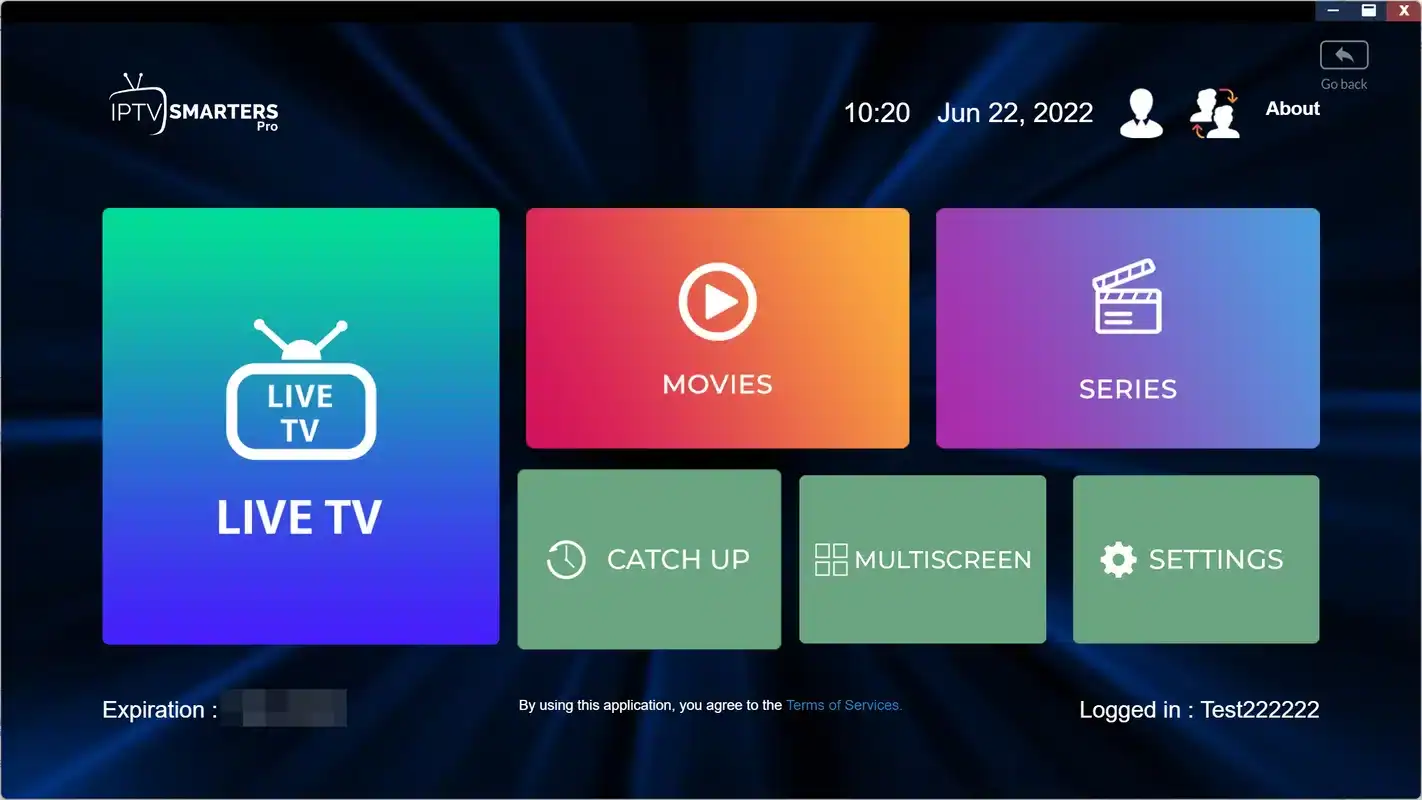
What a player does for you
It stores your access details, loads the lists of channels, series and films, shows the program guide, remembers favourites and plays the stream. Different players do these jobs with different layouts and extras.
- Installed from your device’s official app store.
- Made by independent publishers, not by your provider.
- Changeable at any time, with the same access details.
The supported players, IPTV Smarters Pro, TiviMate, Smart IPTV, IBO Player, XCIPTV and GSE Smart IPTV, all do the basics well. They differ in how they look, how they handle very large catalogues, how they display the guide and whether the publisher charges for a licence. Our guide to IPTV apps compares them, and individual reviews such as IPTV Smarters Pro walk through each one’s menus.
A typical login screen. Each value is copied from the message your provider sends.
Xtream Codes and M3U: your two kinds of access
When you buy an IPTV subscription, the provider sends you a way to log in. It usually arrives in one of two formats, and most players accept at least one of them. Knowing which is which saves confusion on the first evening.
| Point | Xtream Codes | M3U link |
|---|---|---|
| What arrives by e-mail | Three items: server URL, username, password | A single web address containing your playlist |
| How you enter it | Three fields, like signing in to an e-mail account | One field, pasted or typed carefully |
| How content is organized | Tidy categories for live, series and films | One long list, grouped by the player |
| Program guide | Usually loads with the same login | May need a separate guide address |
| Best for | Most players and most viewers | Players that only accept playlists |
Xtream Codes are the more common choice. You type three pieces of information into the player, and it loads channels, series, films and usually the guide in neat sections. An M3U link is a single address that contains your whole playlist. It works well, but on very large catalogues it can feel less organized, depending on the player.
With ClearPick IPTV, your access arrives by e-mail within minutes of payment, in whichever format suits your player. Our setup pages explain each format screen by screen: setting up IPTV with Xtream Codes and setting up IPTV with an M3U link.
The program guide, explained
The program guide, often shortened to EPG for electronic program guide, is the on-screen grid that shows what is on each live channel now and next. It is what makes IPTV feel like familiar television rather than a list of names. The guide information comes from the provider, and the player displays it in its own style.
Now and next
See at a glance what is playing and what follows, without opening each channel.
Correct times
If times look shifted, the player’s time zone or guide offset usually needs adjusting once.
Refreshing
Players update the guide regularly; a manual refresh fixes an empty or outdated grid.
Favourites
Most players let you build a favourites list so the guide shows the channels you actually watch.
An empty guide on the first evening is normal: it can take a little while to load after you add your access details. If it stays empty or the times are wrong, the fix is almost always a setting in the player rather than a problem with the service. Our page on setting up the IPTV TV guide shows where those settings sit in the common players.
The guide also changes how you browse. Instead of flipping channel by channel, you can scroll forward through the evening, spot something starting later and come back to it. Some players let you set a reminder or jump straight to a channel from the grid. How much of this you get depends on the player, which is one more reason to try a second player if the first one’s guide layout does not suit you.
Ready to compare offers
See our three packs and four durations, with current prices, in one place.
From order to first channel
Here is how getting started typically looks with an IPTV service, from choosing a pack to watching your first channel. With ClearPick IPTV, the whole sequence usually fits into one evening, and most of it is waiting for lists to load rather than doing anything difficult.
- Before ordering
Pick your device and player
Choose the screen you watch most, install a supported player from its official store and open it once.
- Ordering
Choose a pack and duration
Compare the packs on the plans page, pick 1, 3, 6 or 12 months and pay once by card or PayPal.
- Minutes later
Check your e-mail
Your Xtream Codes or M3U link arrive within minutes. Keep that e-mail somewhere safe.
- Same evening
Enter your details
Type them into the player, wait for the lists and the guide to load, then add a few favourites.
- First week
Settle in
Try live channels and on-demand titles at different times, and adjust the guide or picture settings if needed.
If anything is unclear along the way, our support team answers by e-mail and WhatsApp, seven days a week, in English and French. You can also write before ordering, for example to check that your device is supported or that a language you need is in the catalogue.
What is IPTV like on an ordinary evening
Definitions only go so far. Here is what using IPTV tends to feel like once the setup is behind you, so you can picture it in your own living room. You pick up the remote, open the player app instead of switching to a cable input, and the app opens on live TV or on the menu you left it on. Your favourites list sits at the top; the program guide shows what is on now and next. You land on a channel, and a moment later the picture appears.
Later, someone wants to carry on with a series. You switch to the series section, the player remembers the episode, and playback resumes where it stopped. A film on the weekend works the same way. Over time, most households build a small routine: a favourites list for live viewing, a “continue watching” row for series, and a couple of categories they browse when they want something new.
After the first week, IPTV stops feeling like technology and starts feeling like television that happens to remember what you were watching.
Two things feel different from cable at first. Changing channel can take a brief moment while a new stream starts, especially over Wi-Fi; a cable to the TV and a capable device shorten it. And because the connection is shared, the busiest evening hour is when you will notice any weakness in your home network. Neither is a reason to avoid IPTV, but both are worth knowing so they do not surprise you.
What IPTV is, and what it is not
A clear definition also means saying what sits outside it. Many first-time buyers arrive with assumptions borrowed from cable or from online video, and a few of those assumptions lead to disappointment. The two columns below separate the facts from the most common mix-ups.
IPTV is
- A way of delivering television over your internet connection
- Watched through a player app you choose from an official store
- Live channels plus on-demand series and films
- Usually counted in simultaneous connections
- Dependent on your speed, your device and your provider
IPTV is not
- A special box you must buy, if your TV already runs a player
- Tied to one app; players and services are separate
- Automatically unlimited in the number of screens playing at once
- A legal grey zone by nature; the question is about each service
- Immune to a weak Wi-Fi signal in the living room
The point about screens catches many people out. Each of our packs includes 1 simultaneous connection: you can install the same credentials on several devices in your home and use them one at a time. More screens playing together are only available on request through support, who explain the conditions and the price. On legality, the neutral position is that the technology is legal and each service’s position depends on the broadcasting rights it holds; our article Is IPTV legal in Canada? shows how to check a seller before you pay.
Who IPTV suits, and who it may not suit yet
IPTV fits a wide range of homes, but not every home at every moment. Being honest about this is part of a buyer’s guide. The lists below are not rules; they are patterns we see often when people describe their situation to our support team before ordering.
- It tends to suit households that watch a lot on demand, people who want to choose their own device and player, renters who move often and viewers who prefer a fixed duration to an open-ended arrangement.
- It tends to suit homes with a steady connection that comfortably covers every screen playing at once, and at least one person happy to type a login once.
- It may not suit yet homes where the connection already struggles in the evening, or where several TVs play at the same time every night and nobody wants to arrange extra screens.
- It may not suit yet viewers who strongly prefer a single box, a single remote and a single company responsible for everything.
If you are on the fence
Start small. A one-month period on the main TV, with the rest of the household’s habits unchanged, answers more questions than any article. Since nothing renews automatically, the month simply ends if IPTV is not for you yet. The 1-month plan page explains how it works.
What is IPTV worth to you: judging a service
Knowing the definition is step one. Step two is comparing offers without being dazzled by big figures. A large catalogue is pleasant, but it says nothing about whether the service is clear, reachable and fair in its terms. Use the five criteria below on any provider, in this order.
Are the packs, durations and picture quality written plainly, with no vague “everything”?
Look for: named packs and stated figuresIs the payment one-time, with no automatic renewal and no contract?
Look for: card or PayPal and a stated durationAre common players and devices listed by name?
Look for: your device and a player in its storeIs the number of screens that can play at once stated before you pay?
Look for: a clear number in writingCan you reach a person, on which days and in which languages?
Look for: a reply to a real question before orderingFor reference, here is how our own packs look against those criteria. All three are paid once in Canadian dollars, by card or PayPal, for 1, 3, 6 or 12 months, with no automatic renewal, 1 simultaneous connection and support seven days a week in English and French. The catalogue includes French-language and international content; for a specific language, ask support before ordering.
In figures: the Premium Pack lists 20,000+ channels with 24,000+ series and 100,000+ movies; the VIP Premium Pack raises that to 27,000+ channels, 61,000+ series and 155,000+ movies; and the Ultimate 4K Pack centres on 57,000+ 4K channels, alongside 47,000+ series and 179,000+ movies served from 20 servers in Europe. Premium and VIP Premium cover HD, Full HD and 4K. Read those numbers against the way you watch, not against each other: a household that lives in series should look first at the series column.
For a full buyer’s method with nine criteria and a scoring sheet, see our guide to the best IPTV in Canada. It applies the same questions in more depth and is written to be used on any seller, including us.
First-evening mistakes to avoid
Most first-evening frustrations have nothing to do with the service and everything to do with small setup details. Knowing them in advance turns a confusing hour into a smooth start.
- Typing the server URL with a missing character or an extra space; copy it carefully from the e-mail.
- Judging the service while the lists are still loading for the first time.
- Testing in a room the Wi-Fi barely reaches, then blaming the stream.
- Leaving the player open on a second device, so the single connection is already in use.
- Expecting the guide to appear instantly instead of giving it time to load.
- Following someone’s advice to fetch a player through a link rather than through the device’s own store.
Be careful with any seller that cannot tell you how many screens can play at once, or that encourages you to share a login with friends in other homes. Credentials are meant for one household. If you need more screens playing together, ask the provider first; with us, that goes through support, who explain the conditions and the price.
If something still does not work after checking this list, our guide IPTV not working: checklist goes through the causes in order, from the router to the player, so you can tell quickly whether the fix is in your hands or the provider’s.
Words that come with IPTV
Every technology brings its own vocabulary. You do not need all of it, but these terms appear often in player menus, provider e-mails and help pages, and knowing them makes everything else on this site easier to follow.
- Stream
- A continuous flow of video data sent over the internet and played as it arrives.
- Server
- The provider’s computers that store and send the streams, lists and guide data.
- Bandwidth
- How much data your connection can carry at once, shared by every device at home.
- Buffer
- A short reserve of video the player keeps ready to smooth out small delays on the line.
- VOD
- Video on demand: series and films you start whenever you like.
- Category or group
- How the player organizes channels and titles, for example by type or language.
- Credentials
- Your access details, such as a username and password, meant for one household.
- Simultaneous connection
- One stream playing at a given moment; two screens playing together use two.
Where to go next
Now that the basics are clear, these pages take the next step, from legality and comparisons to setup and devices.
A question before you start
Ask about your device, a language or the number of screens. Support replies in English and French, seven days a week.
FAQ
What is IPTV in one sentence?
It is television delivered over your internet connection and watched through a player app on a compatible device, using access details from a provider.
What does IPTV stand for?
Internet Protocol Television: television sent as data over the internet, using the same rules computers use to exchange information.
Do I need a special box?
Not always. Many Samsung and LG smart TVs, Android TV and Google TV boxes, Fire TV Stick and Apple TV devices can run a player app directly.
Is the player app included with my subscription?
No. The player comes from your device’s official app store. Some publishers charge for a licence; check the current price on the app’s official website. We are independent from app publishers.
How much internet speed do I need?
Count 10 Mbps per screen in HD, 15 Mbps in Full HD and 25 Mbps in 4K, and add those figures together when several screens play at the same time.
Can one subscription go on several devices?
It can, as long as they play one at a time. You can install the same credentials on several devices in your home, but each pack includes 1 simultaneous connection.
How do Xtream Codes and an M3U link differ?
Xtream Codes are a server URL, a username and a password typed into the player. An M3U link is a single address containing your playlist. Most players prefer Xtream Codes.
How quickly can I start watching?
Your access details arrive by e-mail within minutes of payment. Add them to your player and the lists load shortly after.
Is IPTV legal in Canada?
The technology is legal; whether a service is legal depends on the broadcasting rights it holds, so check before subscribing. Our legality article shows how.
Does the catalogue include my language?
The catalogue includes French-language and international content. For any specific language, ask support before ordering.