Finding reliable IPTV is partly about spotting good signs and partly about recognising bad ones early. Most regrettable purchases share a handful of warning signs that were visible before the payment went through: a promise that sounded too good, a support address that never replied, a timer ticking down on the checkout page, a “special” app sent by chat. This guide lists the red flags that should end your interest in a provider, shows what each one looks like in real life, explains why it matters, and finishes with a safe-buying checklist and a plan for what to do if you have already paid.
A word on where we stand. ClearPick IPTV sells three packs of its own, so we have an interest in this topic. Apply every point below to us as well. If we fail one of them, you should know it before you order, and you should walk away from us exactly as you would from anyone else. That is the only way a guide like this stays useful.
Why red flags matter more than features
Features are easy to advertise. Any seller can publish big figures, post polished screenshots and call itself premium. Red flags are much harder to hide, because they show up in behaviour: what a provider promises, how it handles a question, how it takes your money and what it asks you to install. Behaviour is what you live with after the purchase, long after the advertising has faded.
That is why we suggest checking for warning signs before you compare anything else. A provider with one serious red flag is not worth scoring on catalogue, picture quality or price. Take it off your list and move on. You save time, you protect your payment details, and you keep unknown software off the TV your family uses every evening. Comparing features only makes sense once every seller left on the list has passed this first filter.
Protects your device
Refusing apps from outside the official store keeps your TV, box or phone inside its normal protections.
Protects your payment
A standard checkout with card or PayPal gives you a clear record and the usual protections of those services.
Saves your time
Ruling out a poor seller takes one question. Comparing it on twenty features takes an evening you will not get back.
On the legal side, keep a neutral view: the technology is legal; whether a service is legal depends on the broadcasting rights it holds, so check before subscribing. Our guide Is IPTV legal in Canada? covers that question in more depth, and the rest of our best IPTV in Canada section explains how to compare the sellers that pass this filter.
How to use this reliable IPTV filter
The method is short, and it works the same way on a large, polished store as on a small seller you found through a friend. You look for a sign, you give the seller one chance to clear it up in writing, and you judge the reply. Anything vague, evasive or pushy confirms the flag. Anything clear and specific lets the seller move on to the next stage of your comparison.
Two habits make the filter work. First, ask in writing, by e-mail or a messaging app, so you keep a record of exactly what was promised. A friendly voice on the phone is easy to remember differently a week later. Second, never let a seller turn the question around. If you ask how many screens are included and the answer is a discount code, the question has not been answered, and that tells you something important about how future problems would be handled.
Buyer’s tip: keep a short note for each seller with the date of your question, the date of the reply and the exact words used about screens, languages and renewal. When you compare later, those notes are worth more than any review you read.
The red flags at a glance
Here is the full list in one place. The first five are hard stops: any one of them is enough to remove a provider. The last three are serious enough that the seller has to clear them in writing before you go further. Each one is covered in its own section below with examples and the reasons behind it.
| Red flag | What it looks like | What to do |
|---|---|---|
| Promises nobody can keep | “Every channel on earth”, “zero buffering forever”, “access for life” | Ask for specifics; walk away if none come |
| No support contact | A form that never replies, or no contact details at all | Send a question before paying; no answer means no order |
| Pressure tactics | Countdown timers, “only three spots left”, “price ends tonight” | Close the page and come back tomorrow |
| Giveaway playlists | Playlists or codes handed out in comments, groups or messages | Ignore them and never enter their details |
| Apps from outside official stores | A file or a link to install instead of your device’s official app store | Refuse; reliable IPTV never needs this |
| Unusual payment routes | Gift cards, transfers to a person, payment arranged by chat | Stop before paying; insist on a standard checkout |
| Hidden renewal | No word about what happens when the plan ends | Ask in writing; no clear answer, no order |
| No stated limits | Silence on screens, languages or devices | Ask about the limit that matters most to you |
Notice that price is missing from this table. A low price is not a red flag on its own, and a high price is not proof of quality. Behaviour is what separates a trustworthy seller from a risky one, so that is what the table measures.
Red flag one: promises nobody can keep
Unrealistic promises are the most common warning sign, and the easiest to miss because they sound like good news. No streaming service can promise that nothing will ever pause, because your own connection, your router, your device and the other people using your internet all play a part. Claims of “everything” or “lifetime” access are vague by design: they cannot be checked, so they cannot be held to account. When a promise cannot be measured, it cannot be broken either, and that is precisely why some sellers prefer it.
A credible seller publishes figures you can compare and explains what affects quality. We publish ours. Our Premium Pack, for example, lists 20,000+ channels, 24,000+ series and 100,000+ movies in HD, Full HD and 4K, and we tell every buyer to plan on about 10 Mbps per screen for HD, 15 Mbps for Full HD and 25 Mbps for 4K. Those figures do not promise perfection; they tell you what to check at home.
Ask what connection speed they recommend per screen. A real answer gives figures for each quality level.
Then: no figures means remove the sellerAsk whether a specific language you need is covered. A real answer is a yes, a no or “ask us about it”.
Then: a dodge confirms the flagAsk what happens when the plan ends and how renewal works. A real answer names durations and terms.
Then: vague terms mean no orderA useful way to think about it: an honest seller’s claims get smaller and more precise the more you ask. A dishonest seller’s claims get bigger and vaguer. If each follow-up question produces a grander promise rather than a clearer fact, you already have your answer.
Red flag two: support that vanishes
Missing support is just as serious as an impossible promise, and it is easier to test. Before you pay anyone, send one real question. Good candidates are questions with a clear answer that matters to you: is my TV supported, is a particular language covered, can I arrange a second screen at the same time. Then watch two things: how long the reply takes, and whether it actually answers what you asked.
A provider that ignores you while it still hopes to win your money is unlikely to help once it already has it. The same goes for replies that are polite but empty, such as a link to the order page in answer to a technical question. Ours answers 7 days a week by e-mail and on WhatsApp at +33 6 44 65 43 13, in English and French. Test that claim exactly as you would test anyone else’s, ideally on an evening or a weekend.

Good questions to send before you buy
Pick one or two that matter to your home. You are testing the reply as much as learning the answer.
- Does your service work on my exact TV or box, and which player do you suggest?
- Is a specific language I need covered in the catalogue?
- How many screens can play at the same time on one plan?
- What happens when my plan ends? Does anything renew?
- Which payment methods do you accept, and in which currency?
Pay attention to the tone of the reply as well. A reliable seller is comfortable saying “no” or “not on this plan”. A seller that answers every question with “yes, of course” without detail is either not reading your question or not telling you the whole story.
Red flag three: pressure and countdown timers
Pressure tactics exist for one reason: to stop you thinking. Countdown timers, limited “spots”, flashing banners and same-day deadlines all push you to pay before you check anything. A reliable IPTV seller is comfortable letting you sleep on it, because a buyer who chose calmly is a buyer who stays.
Pressure is not always loud. A seller who keeps messaging after a single question, who insists on finishing the sale in a chat window, who suddenly offers a “special” deal when you hesitate, or who changes the terms once you ask for them in writing is using the same technique in a softer voice. So is a timer that resets every time you reload the page. Your decision should run on your schedule, not on theirs.
A good offer is still a good offer tomorrow morning. If it vanishes overnight, it was never the offer you thought it was.
Calm selling looks like
- Prices and durations shown openly, with no clock attached
- Answers that wait for your next question
- Terms that stay the same when you ask for them in writing
- No follow-up messages you did not ask for
Pressure selling looks like
- Timers, “last chance” banners and shrinking stock counters
- A sudden discount the moment you hesitate
- Repeated messages pushing you to pay now
- A request to keep the deal “between us”
The simplest defence is a rule you set before you start shopping: you never pay on the same day you first see an offer. It costs you nothing with an honest seller and protects you completely from a pushy one.
Red flag four: giveaway playlists and shared codes
Giveaway playlists and codes turn up in comment threads, social media groups and private messages. They are usually presented as a gift or a shortcut. In practice, they tend to stop working without warning, they come with nobody to contact when something goes wrong, and entering details from an unknown source on your TV or phone puts your device at risk. Treat them as a reason to leave the conversation, not as a bargain.
The same caution applies to someone offering to “share” their login with you. Credentials belong to one subscriber and one household. A login passed around between strangers is the opposite of reliable: it can be cut off at any moment, it gives you no support relationship, and you have no idea what else has been done with it. A legitimate provider sends your own access to your own e-mail address after a normal purchase.
Watch out: a playlist link pasted in a public comment is not a gift. You have no way of knowing who made it, what it connects to or how long it will last. Do not enter it in your player, and do not reply with your own details.
If you came across a provider because of a giveaway, that is worth noting in your comparison too. A seller that relies on handouts in public threads to find buyers is telling you how it thinks about the rules and about you. It is rarely the start of a reliable relationship.
Red flag five: apps from outside the official store
Requests to install apps from outside official stores are a hard stop, with no exceptions. Legitimate players, such as IPTV Smarters Pro, TiviMate, Smart IPTV, IBO Player, XCIPTV and GSE Smart IPTV, are installed from your device’s official app store. A seller that sends you a file or a link to install instead is asking you to bypass the protections built into your TV, box or phone. Those protections exist to keep unknown software from reaching your accounts, your home network and everything else on the device.
A legitimate setup asks for very little. You install a known player from the official store, open it and enter the access you received by e-mail: either Xtream Codes, which means a server URL, a username and a password, or an M3U link. Nothing else should be needed. Here is roughly what that login screen looks like.
A normal setup: a player from the official store and the details from your e-mail. Nothing else to install.
We are independent from the companies that publish these players, and some of them charge for a licence of their own. Check the current price on the app’s official website before relying on one. Our best IPTV apps hub compares them, and our guide to setting up IPTV with Xtream Codes walks through the login step by step.
Red flag six: unusual payment routes
How a seller takes your money says a lot about how it will treat you afterwards. Be wary of any provider that only accepts gift cards, asks for a transfer to a private person, or wants to arrange payment by chat message. Each of those routes removes the record and the protections you get from a standard checkout. If something goes wrong, you have very little to point to and nobody obvious to ask for help.
A standard checkout shows you the product, the duration, the amount and the currency before you confirm. Card and PayPal through that kind of checkout exist for your protection. With us, you pay once, in Canadian dollars, by card or PayPal, with no automatic renewal and no contract. Our page on paying for IPTV in Canada shows each step of our checkout so you can compare it with others.

What a safe checkout shows you
Before you enter any card details, the page in front of you should answer five questions on its own, without a chat window.
- Which pack you are buying, by name
- How long the plan lasts
- The amount and the currency
- Whether anything renews afterwards
- Where your access will be sent
| Payment route | Accepted at ClearPick IPTV | Why it matters |
|---|---|---|
| Card at a standard checkout | Yes | Clear order summary and a record with your card issuer |
| PayPal at a standard checkout | Yes | Your card details stay with PayPal and you keep a record |
| Gift card codes | No | Once a code is shared, there is no record linking it to an order |
| Transfer to a private person | No | No checkout, no order summary, nobody accountable |
| Payment arranged in a chat | No | Terms can change between messages and are easy to dispute |
Quieter warning signs worth a second look
Not every warning sign is dramatic. Some are gaps rather than claims: things a seller simply never mentions. None of these is a hard stop on its own, but each one means the seller has to clear it up in writing before you go further. Two or three together usually point to a provider that prefers you not to look too closely.
Silent on renewal
No word about what happens when the plan ends. Ask whether anything renews and how.
No screen limit
Nothing about how many screens can play at once. Every service has a limit; ask what it is.
“Every language”
A blanket claim about languages. Ask about the one you need and accept nothing vaguer than yes or no.
No device list
“Works everywhere” with no detail. Ask about your exact TV, box or stick.
Copy-paste praise
Rows of near-identical glowing comments posted at the same time. Read them as advertising.
4K with no speeds
4K promised everywhere with no connection guidance. Ask what speed each quality level needs.
The pattern behind all six is the same. A reliable seller volunteers its limits because it knows you will find them anyway, and because a buyer who knew the limits in advance does not feel misled later. A risky seller hides limits because it hopes you will not find them until after you have paid. Our guide to reading IPTV Canada reviews goes deeper into the copy-paste praise problem.
Test our answers before you order
Ask about your device, a language or extra screens. Judge our reply with the same filter.
What reliable IPTV looks like instead
The opposite of each red flag is a sign of a reliable IPTV provider. It helps to see them side by side, because a seller that clears one flag usually clears the others too, and a seller that fails one usually fails more than one. Use this table as a quick positive check once a provider has passed the hard stops above.
| Instead of this | Look for this | How to check it |
|---|---|---|
| Promises nobody can keep | Specific figures for channels, series and movies | Compare published figures between sellers |
| Support that vanishes | A named channel that answers before you buy | Send one real question and time the reply |
| Countdown pressure | Open prices and durations, time to decide | Come back the next day and see if anything changed |
| Giveaway playlists | Your own access, sent to your own e-mail | Read the order page: where is access delivered? |
| Apps sent as files | Known players from the official app store | Search the player’s name in your device’s store |
| Unusual payment routes | Card or PayPal at a standard checkout | Look at the checkout before entering anything |
| Silence on limits | Screens, languages and devices stated plainly | Ask about the limit that matters most to you |
None of these signs requires technical knowledge to check. You need a browser, an e-mail address and the patience to wait for one reply. That is the whole toolkit, and it works on large and small sellers alike.
How ClearPick IPTV measures up on each point
Since we ask you to apply this filter to us, here are our answers in one place, so you can check them rather than take them on trust. We publish figures rather than slogans, and we state our limits on the same pages where we describe our packs.
Our answers, stated plainly
Each pack includes 1 simultaneous connection; the same credentials work on several devices in your home, one at a time, and more screens are arranged only on request through support, who explain the conditions and price. Our catalogue includes French-language and international content; for any specific language, ask support before ordering. Payment is one-time, in Canadian dollars, by card or PayPal, with no automatic renewal and no contract. Your access arrives by e-mail within minutes, as Xtream Codes or an M3U link. Players come from your device’s official app store, and we are independent from their publishers.
Our three packs publish their figures openly. The VIP Premium Pack lists 27,000+ channels, 61,000+ series and 155,000+ movies. The Ultimate 4K Pack lists 57,000+ 4K channels, 47,000+ series, 179,000+ movies and 20 servers in Europe. If any of those statements does not match what you see when you test us, you have found a red flag of your own, and you should treat it exactly as this guide suggests. To weigh the packs against each other, see our side-by-side plan comparison.
Questions to send before paying for reliable IPTV
The single most revealing test costs nothing: one direct question about a limit. A reliable seller answers plainly, even when the answer is “no”. The sequence below shows when to ask what during a safe purchase, from the first look at an offer to the end of your first plan.
- Before paying
Ask about your limits
Screens at the same time, the language you need, your exact device. Keep the reply.
- At the checkout
Read the order summary
Pack name, duration, amount in Canadian dollars, renewal terms. Stop if anything is missing.
- After the e-mail
Install from the store
Put a known player on your device from its official app store and enter your access.
- First evenings
Test at busy hours
Watch live channels when demand is highest and note any pauses or missing guide data.
- End of the plan
Decide calmly
Nothing renews on its own with us, so you choose whether to order again.
If you are still choosing a duration, start short. Our 1-month IPTV subscription is designed for exactly this kind of first test, and nothing renews when it ends. Our guide to the best IPTV provider turns the answers you collect into a full scorecard across nine criteria.
Safe-buying checklist for reliable IPTV
Tick every line before you pay any provider. If one line stays empty, pause and ask the seller to fill it in writing. The checklist is deliberately short so you can use it on your phone while the offer is open in another tab.
- The offer lists specific figures, not slogans.
- Support answered a real question before I paid.
- Nobody pushed me with timers, deadlines or sudden discounts.
- Every player app comes from my device’s official app store.
- Payment is by card or PayPal through a standard checkout.
- The amount and currency are shown before I confirm.
- Renewal terms, durations and screen limits are written down.
- My access will arrive at my own e-mail address.
- I have read reviews for detail, not just counted them.

Use the same list for every seller
The checklist is only fair if it is identical for every provider you consider. Print it or copy it into a note, then fill in one copy per seller. When two sellers both pass, move on to comparing catalogue, devices and household fit.
Our guide to the best IPTV service for Canadian homes picks up from there, matching what is left on your list to the people who will actually be watching.
What to do if you spot a red flag
Spotting a warning sign does not always mean a seller is dishonest. Sometimes a page is badly written, or a question was misread. The steps below give the seller one fair chance to clear things up without putting your money or your device at risk while you wait.
- Stop before paying. Do not enter card details or personal information while the question is open.
- Ask one direct question. Give the provider a chance to clarify, in writing, by e-mail or a messaging app.
- Judge the reply. A vague, evasive or pushy answer confirms the red flag. A clear, specific one may clear it.
- Remove the provider if the flag stands. Do not compare it on features afterwards; features cannot fix behaviour.
- Return to your shortlist. Compare the remaining sellers with the same checklist and the same questions.
Hard stops do not get a second chance. If a seller asks you to install something from outside the official app store, or wants payment by gift card, there is nothing to clarify. Close the page and move on.
Red flags that appear after you subscribe
The filter does not switch off once you have paid. A few warning signs only show up during the first weeks, and they deserve the same calm response as the ones you check before buying. A reliable provider behaves the same way after the sale as before it: same tone, same terms, same channels for help. A risky one often changes once it has your money.
Terms that shift
Screens, durations or renewal described differently from what you were told in writing before the sale.
“Update” files by chat
A message asking you to install a new version from a link. Players update through the official app store.
Pay again to reactivate
A request for an extra payment to restore access you already paid for, often by an unusual route.
Support goes quiet
Fast replies before the sale, silence afterwards. Note the dates of your messages.
When one of these appears, go back to the written replies you kept before buying. They are your reference point. Send one clear question that quotes the earlier answer, and judge the reply exactly as you did before the purchase. A seller that honours what it wrote is behaving as a reliable provider should. A seller that pretends the earlier message never existed has told you everything you need to know about the rest of the plan, and the best move is not to order again.
Deep dive: telling a seller problem from a home problem
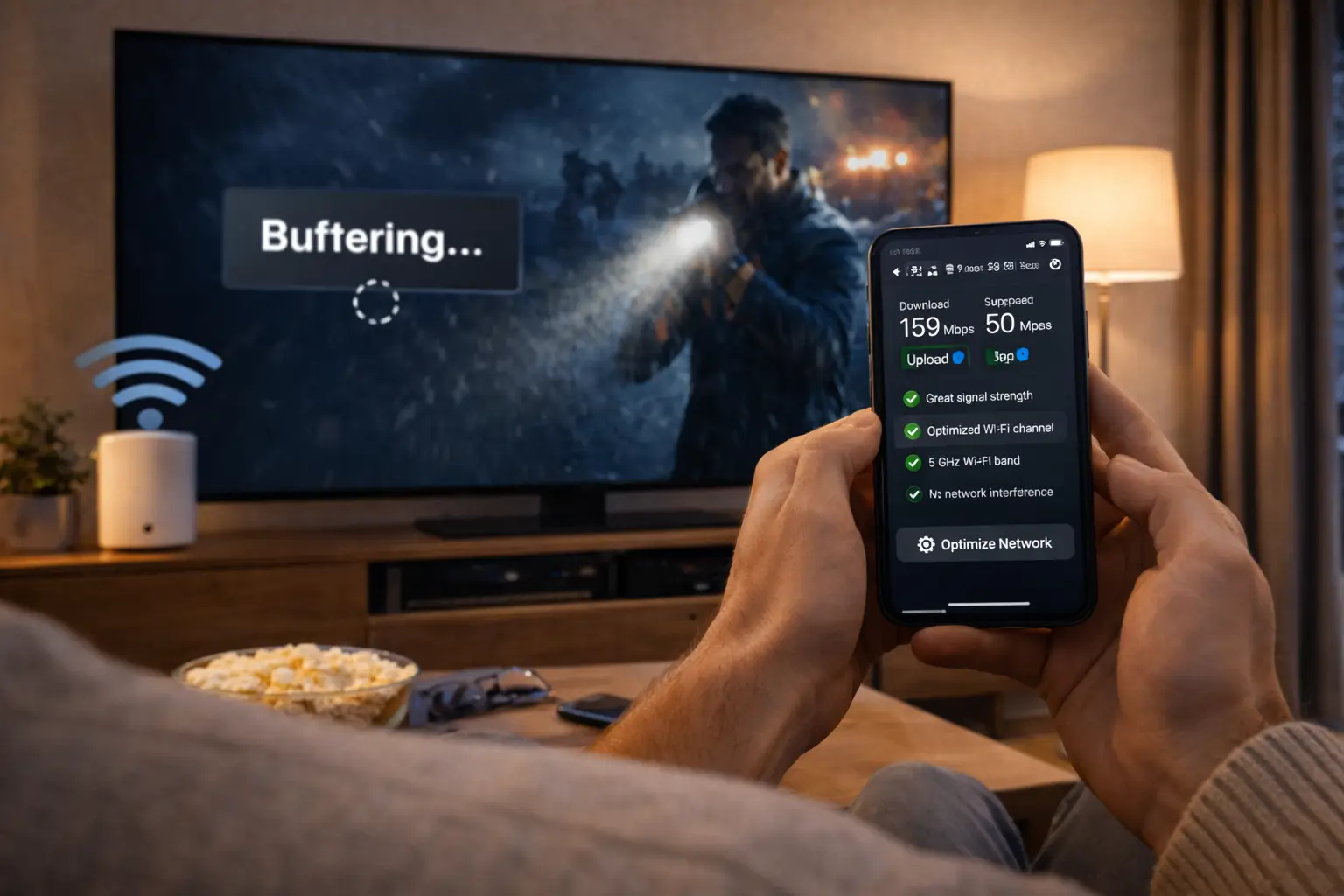
Not every disappointment after subscribing is a red flag. Buffering at busy hours, an empty programme guide or a channel list that will not load are often local issues: a weak Wi-Fi signal, a guide that has not refreshed, or a player that needs a restart. Before blaming the seller, test on a cable or on the 5 GHz band near the router, refresh the guide and restart the player. If the problem survives those checks, ask support with the details. Our guides to fixing IPTV buffering and setting up the IPTV TV guide cover the usual home-side causes.
If you already paid a seller with red flags
It happens, especially when an offer was persuasive and the warning signs only became clear later. The aim now is to limit any harm and move on calmly. These scenarios cover the situations buyers most often find themselves in.
Remove it from the device and restart. Use only players from the official app store from now on.
Then: review the other apps on that deviceKeep the order e-mail and any messages, and contact your card issuer or PayPal through their usual help pages to report the transaction.
Then: watch your statements for repeat chargesIf the password you created with the seller is also used elsewhere, change it on those other accounts.
Then: use a different password per serviceSend one written question and keep the reply. Do not send more money to “reactivate” access.
Then: restart your search with this checklistWhatever happened, do not let one bad experience push you into a rushed second purchase. Go back through the filter above, slowly, with every seller on your new list. If your current problem is technical rather than a seller issue, our troubleshooting hub and the guide to IPTV not working may solve it without changing provider.
Terms that come up when checking a seller
A few words appear again and again in offers, setup e-mails and conversations with sellers. Knowing them helps you ask precise questions and notice when an answer avoids the point.
- Official app store
- The store built into your TV, box, phone or computer. The only place a player should come from.
- Standard checkout
- A payment page that shows the product, duration, amount and currency before you confirm.
- Simultaneous connection
- One stream playing at a time on one account. Our packs include 1.
- Xtream Codes
- A login made of a server URL, a username and a password, entered in your player.
- M3U link
- A single playlist address used by some players instead of separate login fields.
- Automatic renewal
- A plan that charges again when it ends unless you cancel. Ours do not renew.
- Giveaway playlist
- A link or code handed out in public threads or messages, with no seller you can contact.
If a seller uses a term you do not know, ask what it means for you in practice. A plain explanation is a good sign. More jargon in reply to a simple question is not.
Your next step toward reliable IPTV
By now your list should be shorter and cleaner. Every seller left on it has answered a question, shown a standard checkout and asked you to install nothing outside the official stores. That is the point where comparing catalogue, devices and price finally makes sense. These guides pick up from here.
Compare the sellers left on your list
See our three packs and four durations side by side, with current prices.
FAQ
What is the most serious IPTV red flag?
A request to install apps from outside your device’s official app store. It puts your device at risk, and a reliable service never needs it.
Are giveaway playlists safe to use?
No. They often stop without warning, come with no support and can expose your devices to risk. Treat them as a reason to look elsewhere.
Is a low price a red flag?
Not on its own. Judge behaviour instead: clear answers, a standard checkout and official apps matter more than the price.
How do I test a provider’s support?
Send one real question before paying, such as language coverage or device support. Judge how quickly and how clearly they reply.
Does reliable IPTV mean nothing ever buffers?
No. Your own connection and device always play a part. A reliable provider explains what affects quality instead of promising perfection.
Why avoid paying by gift card?
A gift card code leaves no order record and few protections. Card or PayPal at a standard checkout keeps a clear trail.
Can I share my login with another household?
No. Credentials are for one subscriber’s home. Each pack includes 1 simultaneous connection, and more screens are arranged through support.
Do your plans renew automatically?
No. You pay once for 1, 3, 6 or 12 months, in Canadian dollars, with no contract.