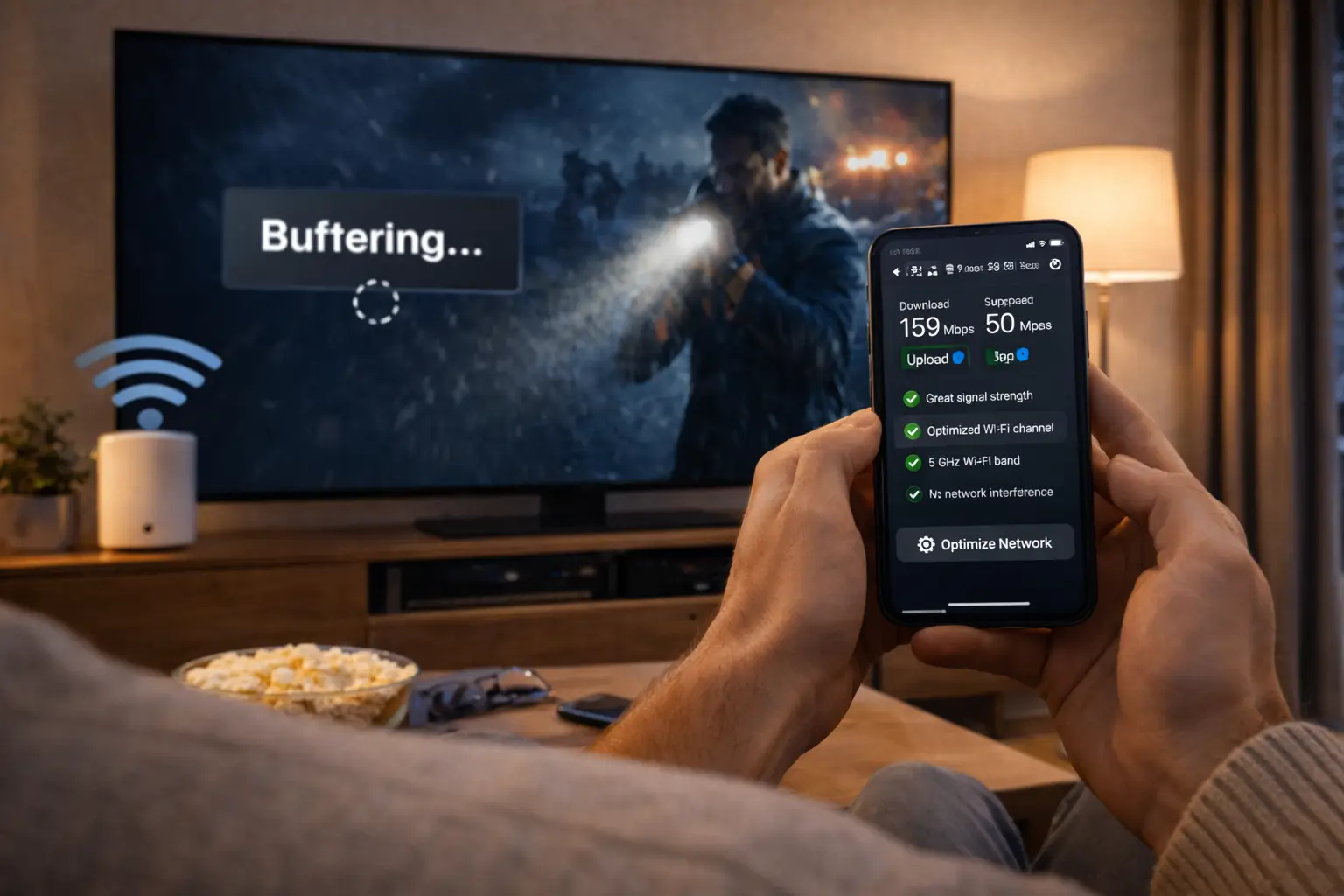
Reading IPTV Canada reviews is a sensible step before you pay, but only if you read them as evidence rather than verdicts. Some reviews come from people who have used a service for months and describe exactly what happened on their TV, at which hours, with which player. Others are rushed, copied, written in anger after one bad evening, or posted by someone who never subscribed at all. This guide shows you where reviews live, what a useful one contains, how to compare a reviewer’s setup with yours, which signals point to hollow or planted posts, and how to check every claim yourself before it influences your choice.
You will not find quoted praise, scores or star averages about ClearPick IPTV on this page. We sell our own packs, and showcasing compliments about ourselves would undercut the whole point. Instead, you get a reading method you can apply to any review, about any provider, including us. If you want the wider buying method first, our hub on the best IPTV in Canada shows where reviews fit among the other checks.
Why IPTV Canada reviews need careful reading
Reviews feel objective because they come from other buyers rather than from the seller. That is their strength. In practice, though, IPTV reviews carry four weaknesses that make careless reading risky. None of them makes reviews useless. Together, they explain why a review should prompt a question, not end one.
Someone else’s setup
A reviewer with a fast line and a recent box may have a very different evening from you on an older TV over busy Wi-Fi.
One moment in time
A complaint from a single bad night, or praise from day one, says little about the months that follow.
Easy to manufacture
Any seller can be tempted to post flattering comments about itself or to attack a competitor. IPTV is no exception.
Scattered everywhere
Opinions sit on review platforms, forums, social groups and comment threads, each with its own habits and blind spots.
IPTV adds a particular complication: the quality of an evening depends on a chain of things the provider does not control. The reviewer’s internet plan, their router, the distance to the TV, the age of their streaming device, the player they chose and the hour they watched all shape what they experienced. A review that leaves those out is describing a result without the conditions that produced it.
That is why this page treats every review as a hypothesis. “Streams were steady during busy evenings” is a claim you can test. “Support took days to reply” is a claim you can test. Your job is not to decide whether the reviewer is honest, which you rarely can, but to decide whether their experience is likely to repeat in your home, and then to check.
Buyer’s tip: before you read a single review, write your own setup on a card: device, player, measured connection speed at your viewing hour and the number of screens you use at once. Keep it beside you, and give more weight to reviewers whose setup looks like yours.
Where IPTV Canada reviews live, and what each place is good for
You will find opinions in four main kinds of places. Each has typical strengths and weaknesses. Reading across several, rather than relying on one, gives a more balanced picture and makes coordinated posting easier to spot, because a wave of identical comments in one place rarely appears everywhere at once.
| Source type | Typical format | Usually good for | Usually weak on |
|---|---|---|---|
| Independent review platforms | Short posts with an overall score | Spotting broad patterns and recurring complaints | Technical detail; easiest place to plant posts |
| Discussion forums | Long threads with replies and follow-ups | Setup detail, devices, players and what fixed a problem | Can be dominated by a few very active members |
| Social media groups | Quick reactions and questions | Recent problems, such as an evening when many people had trouble | Context; often full of private offers by message |
| Comment threads under articles and videos | One-line reactions | Very little beyond a rough mood | Almost everything; a favourite spot for spam |
Forums deserve special mention. A long thread in which someone describes a problem, others ask about their setup, and the original poster comes back to say what fixed it is worth more than a page of short posts. It shows you the conditions, the troubleshooting and the result, which is exactly what most reviews leave out. When you find a thread like that, read the follow-ups as carefully as the first post.
Comment threads sit at the other end. They are quick, unmoderated and often used by people offering playlists or codes by private message. Read them for mood if you like, but never act on anything posted there. Our guide to IPTV red flags explains why those offers are a warning sign in themselves.
Anatomy of a useful review
A review earns your attention when it answers practical questions. The best ones read almost like a short report: what the person used, what they tried, what happened and how it was resolved. They do not have to be long. A few specific sentences beat a long paragraph of adjectives.

The six details to look for
Use this checklist as you read. A review that ticks four or more lines deserves a place in your notes. One that ticks none is a mood, not evidence.
- It names the device, such as a smart TV, a Fire TV Stick or an Android TV box.
- It mentions the player app and how it was installed.
- It describes the connection, or whether streams held at busy evening hours.
- It states how long the reviewer has been subscribed.
- It describes at least one contact with support, and how it went.
- It mentions something that did not work perfectly, as well as what did.
That last point matters more than it seems. Real experiences are rarely flawless. A review that mentions a small issue, such as a programme guide that showed the wrong times until a setting was changed, and explains how it was resolved, is often more credible than one that calls everything perfect. It also teaches you something practical: if the guide shows the wrong times for you too, you already know where to look. Our page on setting up the IPTV TV guide covers that exact fix.
Duration is the other detail people skip. A post written on the first evening captures excitement or frustration, but not stability over weeks. A post written after several months, especially one that mentions a renewal decision, carries far more information about what living with the service is like.
Matching a reviewer’s setup to yours
Once a review passes the anatomy check, the next question is whether it applies to you. A detailed review from a setup unlike yours is still interesting, but it should carry less weight in your decision. The table below shows which reviewer details matter most and how to compare them with your own card.
| Reviewer detail | Why it matters | How to compare |
|---|---|---|
| Device | Players and performance differ between TVs, boxes, sticks and phones | Same device family as yours? Give it more weight. |
| Player app | Many complaints are about the player, not the provider | Different player? Separate the player issue from the service issue. |
| Connection | A slow or crowded line causes pauses with any provider | Compare with 10, 15 or 25 Mbps per screen at your own busy hour. |
| Wi-Fi or cable | Distant Wi-Fi is the most common cause of stutters | Reviewer on Wi-Fi two floors away? Discount stability complaints. |
| Screens at once | Several streams on one login run into connection limits | Check whether they were using more streams than their plan included. |
| Viewing hours | Busy evenings test stability far more than quiet mornings | Praise from daytime viewing tells you little about your evenings. |
The player row deserves attention. A surprising share of complaints in IPTV reviews are really about the player: a menu that is hard to navigate, a guide that loads slowly, a licence the reviewer did not expect. Players are made by independent publishers and installed from your device’s official app store, so a complaint about one player may not apply if you use another. Our overview of the best IPTV apps helps you tell player behaviour from service behaviour.
The screens row matters too. Some negative reviews come from households that tried to play several streams on a single connection and were cut off. With our packs, each includes 1 simultaneous connection, with more screens only on request. A review complaining about being cut off when three people watched at once is describing a limit, not a fault, and our guide to IPTV on multiple screens explains how that works.
Signals of hollow or planted reviews
No single signal proves a review is planted. Several together should make you cautious. Use these as a filter, then move on to the reviews that remain, rather than spending an evening trying to prove who wrote what.
| Signal | What it looks like | How to react |
|---|---|---|
| Waves of similar posts | Many posts with near-identical wording appear within a few days | Treat the whole batch as one data point, or set it aside |
| No specifics | Enthusiasm or anger with no device, player, connection or timeline | Give it almost no weight |
| Extreme language only | Every post is either perfect or a disaster, with nothing in between | Look for the measured middle; that is where useful detail lives |
| Marketing echoed back | Posts repeat slogans such as promises that streams never pause | Be suspicious of both the post and the promise |
| Links, codes or numbers | A post pushes a playlist, a code or a private contact | Do not follow it; it is a red flag on its own |
| Brand-new profiles | The reviewer has no other history on the platform | Weigh it lightly, especially if several appear together |
| Competitor named in a complaint | A negative post ends by recommending another seller | Treat it as possible promotion, not neutral feedback |
The last row is worth highlighting. A complaint that ends with “switch to this other seller instead”, especially with a contact number or a link, is often advertising in disguise. Genuine unhappy buyers usually describe their problem and leave; they rarely run a sales pitch for a competitor in the same breath.
Once the filter has done its work, you will usually be left with far fewer reviews than you started with, sometimes only a handful per seller. That is normal, and it is a good result. A few detailed posts from setups like yours are worth more than a hundred short ones, because each of them gives you a concrete claim to check. If a seller has no detailed reviews left after filtering, that is not a reason to rule it out, but it does mean your own written questions and a short test will carry the whole decision.
Timing patterns: waves, silences and sudden shifts
The dates on reviews often tell you as much as the words. Real feedback tends to arrive in a steady trickle, with small bumps after a busy weekend or a widespread problem. Planted feedback tends to arrive in bursts. Learning to read the rhythm of a review page takes a minute and filters out a lot of noise.
After a long quiet period, that burst is more likely to be a campaign than a sudden improvement.
Then: read the posts before and after the burstThat often reflects a real, temporary problem that affected many people at once.
Then: check whether later posts say it was fixedSomething may have changed with the service or its support.
Then: give recent posts more weight and ask support directlyThe page may be abandoned, or the seller may be new. Neither is a verdict.
Then: rely on your own questions and a short testSame-evening complaints deserve a fair reading. Every streaming service can have a difficult night. What separates a dependable provider is what happens next: whether later posts mention that things returned to normal, and whether support was reachable while it was happening. A single bad evening that was acknowledged and resolved says something good about a seller. A run of bad evenings with silence from support says the opposite.
Deep dive: why overall averages can mislead
Many platforms show one overall score for a seller. It is tempting to compare those numbers and stop there, but averages hide the shape of the feedback. A seller with mostly measured, mid-range posts and a seller with a mix of extreme praise and extreme anger can end up with the same average. The first pattern often reflects real customers describing real trade-offs; the second can reflect a fight between planted posts and genuine complaints. Averages also give the same weight to a one-line post from a new profile as to a detailed report from someone subscribed for months. Read the distribution and the details, not just the number.
Reading negative reviews fairly
Negative reviews are often more useful than positive ones, because they describe what went wrong and, sometimes, how it was handled. But a negative review can reflect a slow home connection, an old device or a single bad evening as easily as a poor provider. The fair approach is to sort complaints into two groups: those that tell you about the seller, and those that mostly tell you about the reviewer’s setup.
Complaints that tell you about the seller
- Support never replied, on several attempts, through the stated channels
- Renewal or payment terms differed from what was promised
- A request to install software from outside the official store
- Limits on screens or languages that were never stated before payment
Complaints that mostly reflect the setup
- Pausing on a stick far from the router, with no speed test mentioned
- Being cut off when several people watched on one connection
- A player menu the reviewer disliked
- Blurry picture on a screen or device that cannot show 4K
The first group deserves real weight, because those problems would affect you whatever your setup. The second group is still useful, but as a to-do list rather than a warning. If reviewers on distant Wi-Fi complain about pausing, the lesson is to check your own Wi-Fi, which our guide to fixing IPTV buffering walks through. If reviewers complain about blurry 4K, the lesson is to check the 4K chain, explained in 4K IPTV explained.
Pay attention to how the seller responded, where responses are visible. A calm reply that asks for details and offers a next step is a good sign, even under an angry post. A defensive reply, or a reply that blames the customer without asking a single question, tells you how your own problem might be handled.
Reading glowing reviews with care
Positive reviews are pleasant to read and easy to believe, which is exactly why they need the same scrutiny. The most useful positive review is specific and a little boring: it names the device and player, mentions how long the person has subscribed, notes one small hiccup and explains why they renewed. Enthusiasm on its own carries little information.
The more a review sounds like an advertisement, the less it should count in your notes.
Watch for praise that mirrors the seller’s own wording. If several posts use the same unusual phrase that appears on the provider’s homepage, they may have been written with the homepage open. Watch also for praise of things a reviewer could not know, such as how a service performs “for everyone” or “in every province”. A real customer knows their own home, not everyone’s.
A quick test for any positive review
Ask yourself: if I removed the adjectives, what facts would remain? A device, a player, a duration, a support contact, a small issue resolved? If the answer is “nothing”, set the review aside. If two or three facts remain, add them to your notes as claims to check.
Positive reviews are most valuable when they confirm something you can verify. If several detailed posts mention that support replied in French on a weekend, that is a claim you can test with one message on a Saturday. If they mention that access arrived quickly by e-mail, you can check that on order day. Praise that points to something testable is evidence; praise that does not is decoration.
Reading reviews in French and English
Canadian buyers have an advantage many others do not: reviews in two languages. A seller can look very different depending on which language you read about it in. Posts in French may focus on French-language content and on whether support replied in French. Posts in English may focus on devices and players. Reading both gives you a fuller picture than either alone, and it helps you spot coordinated posting, since a burst of praise in one language rarely has a twin in the other.
Language coverage claims
Reviews that praise or criticise content in a given language are worth checking with support, in writing, before you order.
Support language
Posts often mention which language support replied in. That is easy to verify with one message of your own.
Cross-language patterns
A problem reported in both languages on the same evening is more likely to be real than one reported in only one.
Be careful with language-coverage claims in particular. A reviewer who says a catalogue is “full of” content in a language may be describing the few channels they watch, not the catalogue as a whole. Another may complain about thin coverage because the programmes they wanted were not there, even though plenty of other content in that language was. Neither is a reliable guide to your own needs. For our catalogue, which includes French-language and international content, the only safe step for any specific language is to ask support before ordering. Our support answers in English and French, so you can put the question in whichever language suits you and compare the reply with what you read.
Words reviewers use, translated
IPTV reviews are full of shorthand. Knowing what reviewers mean helps you tell a serious problem from a quick fix, and helps you ask support precise questions.
- Buffering
- The stream pauses to load. Often linked to the home connection or Wi-Fi, sometimes to the service at busy hours.
- Freezing
- The picture locks while sound may continue. Can come from the device, the player or the stream.
- EPG or guide
- The electronic programme guide. Complaints about wrong times usually mean a time offset needs adjusting in the player.
- Xtream Codes
- A login format with a server URL, a username and a password, entered in a player.
- M3U
- A single playlist link some players accept instead of Xtream Codes.
- Connection limit
- The number of streams that can play at once on one login. Being cut off often means this limit was reached.
- Catch-up
- Watching a live programme after it aired, where the provider and player support it.
When a review uses one of these terms, translate it into a question for your notes. “Buffering every night” becomes “did the reviewer test their connection, and was it on Wi-Fi?”. “Guide is wrong” becomes “is it a time offset, fixable in the player?”. Our explainer on what IPTV is covers the basics behind most of these terms, and setting up IPTV with Xtream Codes shows the login format reviewers often mention.
How to verify IPTV Canada reviews yourself
The best way to use reviews is to treat each claim as something to check, then check it directly. This turns a pile of opinions into a short list of facts about the seller and your own home.
- Collect the claims. Note the specific points reviewers make, good and bad: stability at busy hours, support speed, device issues, language coverage, catalogue gaps.
- Filter by setup. Keep claims from setups like yours; mark the rest as lower weight.
- Check them against the offer. Does the provider’s own page say the same thing? Published figures and clear terms make this easy.
- Ask support directly. Put the reviewers’ concerns to the provider in writing. A clear, specific answer is a good sign; evasion is not.
- Measure your connection. Run a speed test at your viewing hour, so stability claims can be read against your own line.
- Test with a short plan. Your own month on your own devices is the review that matters most.
- Score the result. Use a consistent method, such as the nine criteria in our guide to the best IPTV provider.
The fourth step is the one most buyers skip, and it is the most revealing. Sending a seller the exact concern you read in a review shows you how it handles criticism before you have paid anything. A seller that answers a pointed question calmly and specifically has passed a test no review can run for you.
Turning review claims into support questions
A simple log keeps the process tidy. For each claim worth checking, write where you saw it, whether the reviewer’s setup matches yours, the question you sent and the reply you received. After a few entries, patterns jump out.
One line per claim is enough. Over a few days, the log shows which concerns hold up and which do not.
Good questions are specific and easy to judge. “Reviewers mention the guide showing wrong times on smart TVs: how do I fix that with the player you suggest?” is better than “is your guide good?”. “Some posts say weekend replies are slow: when does your support answer?” is better than “is your support good?”. Specific questions get specific answers, or reveal that the seller cannot give them.
Put a review claim to our support
Read something about us that worries you? Send it to support and judge the reply.
Comment threads and private messages: where scams hide
Review pages attract more than reviewers. Comment threads, replies and private messages are a favourite place for people offering playlists, codes or “better deals” outside any normal checkout. These offers often appear right under a negative review, presented as a helpful alternative to the unhappy buyer.
Watch out: never follow an offer posted in a review thread or sent by private message after you commented, and never send payment through one. Offers of playlists or codes, gift-card payments and requests to install software from a link are serious warning signs. Our guide to IPTV red flags explains why each one should end your interest.
A second trap is the “review” that is really an installation guide in disguise, walking readers through putting software on their device from outside the official store. Whatever the post says about quality, the method itself is the problem. Players for a legitimate service come from your device’s official app store. Anything else bypasses the protections built into your TV, box or phone.
Finally, be wary of any reviewer who asks you to continue the conversation privately. Genuine buyers sharing their experience have no reason to move you off the platform. If someone does, the conversation has stopped being a review and become a sales pitch, usually for something you should not buy.
Reading reviews about ClearPick IPTV
If you read reviews about us, apply exactly the same rules. Then check what you read against the facts we publish, all of which you can verify before or after you order. Here are the core figures and terms.

What you can check about us
Our Premium Pack lists 20,000+ channels, 24,000+ series and 100,000+ movies in HD, Full HD and 4K. The VIP Premium Pack and the Ultimate 4K Pack list larger libraries. Each pack includes 1 simultaneous connection.
- One-time payment in Canadian dollars, by card or PayPal
- Durations of 1, 3, 6 or 12 months, no automatic renewal, no contract
- Access e-mailed within minutes
- Support in English and French, seven days a week
If a review about us contradicts any of these points, ask us about it directly, by e-mail or on WhatsApp at +33 6 44 65 43 13. If it describes a problem we can fix, we want to hear about it. If it describes a limit, such as being cut off when several people watched at once, we will explain the limit plainly and the options available. On the legal side, keep a neutral view: the technology is legal; whether a service is legal depends on the broadcasting rights it holds, so check before subscribing. Our guide Is IPTV legal in Canada? covers that point.
Writing a review that helps the next buyer
If you subscribe to any IPTV service, ours or another, consider writing the kind of review this page describes. Detailed feedback helps the next buyer far more than a single word of praise or anger, and it takes only a few minutes. Here is a simple structure you can follow.
- Your device and the player you used, and where you installed it from.
- Your connection type, cable or Wi-Fi, and roughly how far from the router.
- How long you have been subscribed, and which plan length you chose.
- When you usually watch, especially whether you tested busy evenings.
- One contact with support: the channel, the question and how it was handled.
- One thing that worked well and one thing that could be better.
- Whether you plan to renew, and why.
Leave out login details, playlist links and anything that would let someone else use your access. Credentials belong to your household only. A review written this way is useful to every reader, whatever their device, because it gives them the conditions behind your result and lets them judge how closely it fits their own home.
What no review can tell you
Even the best review leaves gaps, because it describes someone else’s home. A handful of questions can only be answered by you, on your own setup. Knowing them in advance keeps you from expecting too much of what you read.
Your line at your hour
Only a speed test at your own viewing time shows what your connection carries. Compare it with 10, 15 or 25 Mbps per screen.
Your peak screens
How many streams play at once in your home on a busy evening. No reviewer knows your household.
Your favourite channels
Whether the specific content you watch most is there and easy to find. Ask support, then check during your test.
Your device in your room
How your TV or box behaves at its distance from the router, with the player you prefer.
This is why every method on this site ends with a short test rather than a verdict from reading. Reviews can tell you which questions to ask and which sellers to drop. They cannot tell you how the next month will look in your living room. A short plan, paid once with no automatic renewal, is the cheapest way to answer the questions that remain. With us, the shortest is the 1-month IPTV subscription, and the list of supported devices for IPTV tells you in advance whether your screens are covered.
Turning IPTV Canada reviews into a decision
Reviews help most at the start of your search, when you are building a shortlist. They help least at the end, when your own test should decide. A sensible order keeps them in their place.
- Week one
Read widely, note claims
Skim several source types, keep only detailed reviews, and write down the claims worth checking.
- Week one
Remove red flags
Drop any seller linked to giveaway playlists, unusual payments or apps from outside the official stores.
- Week two
Ask and compare
Send your review-based questions to the sellers left, and score their replies.
- Weeks two to six
Test one candidate
Take the shortest plan with your top choice and watch at busy hours on your real setup.
- After the test
Decide on your evidence
Your own notes now outweigh anything you read. Stay, switch or stop.
If IPTV is new to you, start with the basics in IPTV vs cable, which explains many of the comparisons reviewers make. To match a service to the people in your home, read our guide to the best IPTV service for Canadian homes. When you are ready, see current prices on our plans page.
Test the claims yourself
Start with the shortest plan on your own setup. See current prices on our plans page.
FAQ
Why do you not publish praise from your own customers?
Because we sell our own packs, quoted praise on our own site would be biased by definition. We prefer to give you a method for reading reviews from anywhere, about anyone.
How can I spot a planted IPTV review?
Look for missing specifics, extreme language, near-identical wording across several posts, bursts of posts in a few days and brand-new profiles. Several of these signals together call for caution.
Are negative reviews always reliable?
No. A negative review can reflect a slow home connection, an old device, distant Wi-Fi or a single bad evening. Check whether the reviewer’s setup looks like yours before giving it weight.
Should I trust a review that includes a playlist or code?
No. Offers of playlists or codes in reviews, comment threads or private messages are a warning sign. Do not follow them and never pay through them.
Which source of reviews is most useful?
Detailed forum threads with follow-ups are often the most informative, because they show the setup, the troubleshooting and the result. Reading several source types gives the most balanced view.
Do overall averages tell me enough?
Rarely. Averages hide the shape of the feedback and treat a one-line post the same as a detailed report. Read the details behind the number.
What should I do if a review contradicts a seller’s terms?
Ask the seller about it in writing before ordering. A clear, specific reply is a good sign. Evasion or a change of subject is not.
What matters more, reviews or my own test?
Your own test. Reviews help build a shortlist, but a short plan on your devices, at your busy hours, is the most reliable evidence you will get.
Can I share my login details in a review to prove I subscribed?
No. Never post login details or playlist links. Credentials belong to your household only. Describe your setup and experience instead.
Are reviews in French and English equally useful?
Both are useful, and reading both is better than either alone. Reviews in each language often focus on different things, and comparing them helps you spot coordinated posting.