
Choosing between IPTV subscription plans becomes far simpler once you split the decision in two. First, which pack fits your screen, your connection and the way you watch? Second, how many months do you want one payment to cover? ClearPick IPTV sells three packs of its own, and this hub lays them out the way a buyer’s guide should: criteria, trade-offs, scenarios and the questions worth asking of any seller, including us. There are no countdown timers here, no “only today” banners and no pressure to pick the biggest option.
We also keep amounts out of our guides on purpose. A figure copied into an article goes stale quickly and could mislead you a month later, so each pack page carries the current prices instead. Everything else you need to make the call is on this page, and the four detailed guides below go deeper into each part of the decision.
How our IPTV subscription plans are built
Every plan combines two choices: a pack and a duration. There are three packs and four durations, which makes a dozen combinations on paper. In practice most households narrow it to one or two within a few minutes, because the pack question usually has a clear answer once you look at your screen and your habits.
The packs differ by catalogue size and focus. The durations differ only by length and by cost per month. Everything else behaves the same way across all twelve combinations: the same supported players, the same devices, the same support team and the same delivery of access by e-mail. A longer duration is not a different product. It is more months of the same one, bought in a single payment.
One-time payment
You pay once for the whole duration, in Canadian dollars, by card or PayPal.
No automatic renewal
When the plan ends, nothing is charged. You decide whether to order again.
No contract
No commitment beyond the duration you picked, and no exit process to go through.
One connection
1 simultaneous connection per pack. More screens at once only on request through support.
Buyer’s tip: decide the pack before the duration. The pack shapes what you watch every evening and how well it suits your screen. The duration only shapes how often you reorder and what you pay per month. Get the first choice right and the second one is simple arithmetic.
The three packs at a glance
These are the figures we publish for each pack, and they match the pack pages exactly. They are the points worth checking in any offer: live channels, series, movies and picture quality.
| Pack | Live channels | Series | Movies | Picture and notes |
|---|---|---|---|---|
| Premium Pack | 20,000+ | 24,000+ | 100,000+ | HD, Full HD and 4K |
| VIP Premium Pack | 27,000+ | 61,000+ | 155,000+ | HD, Full HD and 4K |
| Ultimate 4K Pack | 57,000+ 4K channels | 47,000+ | 179,000+ | 20 servers in Europe |
VIP Premium Pack
- 27,000+ channels
- 61,000+ series
- 155,000+ movies
- HD, Full HD and 4K
Ultimate 4K Pack
- 57,000+ 4K channels
- 47,000+ series
- 179,000+ movies
- 20 servers in Europe
All three catalogues include French-language and international content. If you need a specific language, ask support before ordering. We would rather answer one question up front than sell you a plan that misses what you actually watch.
Premium Pack
The entry point of the range. It suits a viewer who wants a broad live line-up and a solid on-demand library without paying for depth they will never open. It streams in HD, Full HD and 4K, depending on the source and on your connection, which makes it a sensible match for a bedroom TV, a secondary screen or a household that mostly watches live channels.
VIP Premium Pack
The same quality range with a much wider library, especially on series. If your evenings are spent working through full seasons rather than flipping between live channels, this is the pack to look at first. It also adds more live channels than the Premium Pack, so it covers both habits well.
Ultimate 4K Pack
Built around 4K live channels, with the largest movie library of the three, delivered over 20 servers in Europe. It makes the most sense on a large 4K screen with a connection that can hold 25 Mbps steadily. On a small bedroom TV, most of that extra detail goes unseen, and one of the other packs is the better buy.
Which pack suits which household
Catalogue figures are useful, but most people choose more easily from a description of their own home. Find the scenario closest to yours. These are our suggestions as the seller of all three packs, so take them as a starting point and check the pack pages before you decide.
A broad live line-up matters more than a huge on-demand library. The Premium Pack covers that without paying for depth you will not use.
Then: start with the Premium PackThe size of the series library is your deciding figure, and the VIP Premium Pack holds the most series of the three.
Then: look at the VIP Premium Pack first4K live channels and the largest movie library are where your screen shines, provided your connection holds 25 Mbps steadily.
Then: consider the Ultimate 4K PackA 4K-focused pack will not show its strengths until the connection improves. Choose on catalogue and watch in Full HD.
Then: Premium or VIP Premium, and read our buffering guideThe catalogue includes French-language and international content, but specific languages are worth confirming before you pay.
Then: ask support before orderingEach pack includes 1 simultaneous connection. Extra screens are possible only on request, with conditions and price from support.
Then: write to support before you chooseIf you are torn between two packs, let the connection decide. Run a speed test beside your main TV at the hour you usually watch, three evenings in a row. If the lowest result comfortably clears 25 Mbps, the Ultimate 4K Pack can show what it does best. If it does not, a pack watched in Full HD will feel steadier every evening. The side-by-side plan comparison goes deeper into these trade-offs.
Choosing a duration: 1, 3, 6 or 12 months
Duration is the second decision. Every pack is sold for 1, 3, 6 or 12 months, paid once. Because nothing renews automatically, a longer plan carries no obligation past its last day; it just stretches a single payment over more months.
| Duration | Who it suits | Cost per month | Orders per year |
|---|---|---|---|
| 1 month | First-time buyers, short stays, uncertain needs | Highest of the four | Up to 12 |
| 3 months | A season of viewing, a cautious first commitment | Lower than monthly | Up to 4 |
| 6 months | Regular viewers who want fewer reorders | Lower again | Up to 2 |
| 12 months | Settled households that know what they watch | Lowest of the four | 1 |
The pattern is straightforward: the longer the duration, the lower the cost per month. To see the exact gap for the pack you want, open its page, note the current price of each duration and divide by the number of months. That small calculation tells you more than any badge or banner.
If you are new to IPTV, or new to us, a 1-month plan lets you judge stability, players and catalogue on your own screens, at your own busy hours, before committing to more. The 1-month IPTV subscription guide covers that approach. If you already know the service suits your home, a 12-month plan spreads one payment across the whole year and removes the regular reminder to reorder; the 12-month IPTV subscription guide explains what to weigh first. The 3-month and 6-month options sit between the two for people who want a middle path, such as a season of viewing or a half-year away from cable.
Working out the real cost without printed prices
Because we never print amounts in our guides, you will do one small calculation yourself. It takes a minute and it is the same calculation you should apply to any seller’s offer, so it is worth learning once.
- Pick your pack first. Use the scenarios above. Cost comparisons only make sense within the same pack.
- Open the pack page. Note the current price for each of the four durations.
- Divide each price by its months. That gives you the cost per month for 1, 3, 6 and 12 months.
- Estimate how long you will really watch. Be honest: a long plan only saves money if you use all of it.
- Match the two. Choose the longest duration you are confident you will use. If you are unsure, the shorter one is the safer buy.
The honest rule of thumb
A lower cost per month is only a saving if you watch through the whole term. Someone who orders twelve months and stops watching after four would have done better with a shorter plan. Someone who reorders a monthly plan all year round pays more than they would have with a single long plan. Match the duration to how long you really expect to watch, not to the most attractive monthly figure.
There is one more factor that no calculation captures: the value of being able to stop. A short plan gives you a natural moment to reassess every few weeks. A long plan gives you one decision for the whole year. Neither is better in general; it depends on how settled your viewing habits are.
What every pack includes
Whatever pack and duration you pick, the essentials are identical. That matters, because some offers hide basics behind upgrades or extras. Ours do not, and here is exactly what comes with every plan.

The same essentials in every plan
- Access by e-mail within minutes, as Xtream Codes details or an M3U link.
- A choice of players: IPTV Smarters Pro, TiviMate, Smart IPTV, IBO Player, XCIPTV and GSE Smart IPTV.
- Support for Samsung and LG smart TVs, Android TV and Google TV boxes, Fire TV Stick, Apple TV, iPhone and iPad, Android phones and tablets, and PC.
- HD, Full HD and 4K, depending on the pack, the source and your connection.
- Human support 7 days a week by e-mail and WhatsApp, in English and French.
A note on players: install them only from your device’s official app store. We are independent from app publishers. Some players ask for a licence to unlock features; check the current price on the app’s official website, since that cost belongs to the publisher, not to us. Our best IPTV app hub compares the six players on the criteria that matter day to day.
A note on devices: the same credentials work on any supported device in your home, used one at a time. You do not need a separate plan for the living-room TV and the tablet, as long as they do not play together. The best devices for IPTV hub helps if you are still choosing hardware.
Screens, devices and internet speed
Each pack includes 1 simultaneous connection, which means one stream at a time. Your login can live on the family-room TV, a bedroom stick and a phone at once, and you can hop between them as you please, as long as only one is playing at any given moment.
If two people in your home want to watch at the same time, you need more simultaneous screens. Those are available only on request. Ask support, who will set out the conditions and price that apply to your household. We do not publish a standard multi-screen offer, because the right answer depends on how many screens you need and when. The guide to IPTV on multiple screens explains how sharing works within one household.
Steady speed to plan for, per screen
Your connection matters as much as your pack. When more than one screen plays, the figures add up: a 4K stream and a Full HD stream at the same moment ask for about 40 Mbps of steady capacity, before anyone at home starts a video call. Measure beside the TV, not next to the router, and at the hour you usually watch. That figure decides whether a 4K-focused pack will feel smooth.
Watch out: one connection means one stream at a time. If two screens try to play on the same credentials together, one will stop. Ask support about extra screens before you order, not after, and never share your credentials with another household.
Want a second opinion before you choose
Describe your TV, your evening speed test and your viewing habits. Our team will suggest a pack plainly, even when the smallest one is the right call.
Score IPTV subscription plans against your home
A buyer’s guide works best when it ends in a score. Use this card to rate each pack for your own situation. Give two points if the statement is fully true for that pack in your home, one if it is partly true, and zero if it is not. The pack with the highest total is your best starting point.
| Criterion | What to ask yourself | Where to find the answer |
|---|---|---|
| Catalogue fit | Does the pack’s focus, live, series or 4K, match how I watch | The pack table and scenarios above |
| Screen fit | Will my main TV show what this pack does best | Your TV’s resolution and size |
| Connection fit | Does my evening speed beside the TV clear the figure for my quality | Three evening speed tests |
| Language fit | Is the content I care about covered | A question to support before ordering |
| Screen count | Is one stream at a time enough for my household | A household conversation, then support if needed |
| Duration fit | Have I matched the months to how long I will really watch | The cost-per-month calculation |
| Device fit | Does my device run a supported player from its official store | The device and app hubs |
Notice that price per month appears only in the last row, and only after the fit questions. That order is deliberate. A cheaper pack that does not suit your screen or your connection is not a saving; it is a plan you will not enjoy. Settle fit first, then look at current prices on the pack pages.
If two packs tie, the tie-breaker is usually the connection. The one that plays steadily on your line every evening is the better buy, whatever its catalogue figures say.
Three households, three plans
Scorecards are easier to use once you have seen them applied. Here are three typical households and how they might reason through the choice. They are illustrations, not customer stories, and your own answers may differ.
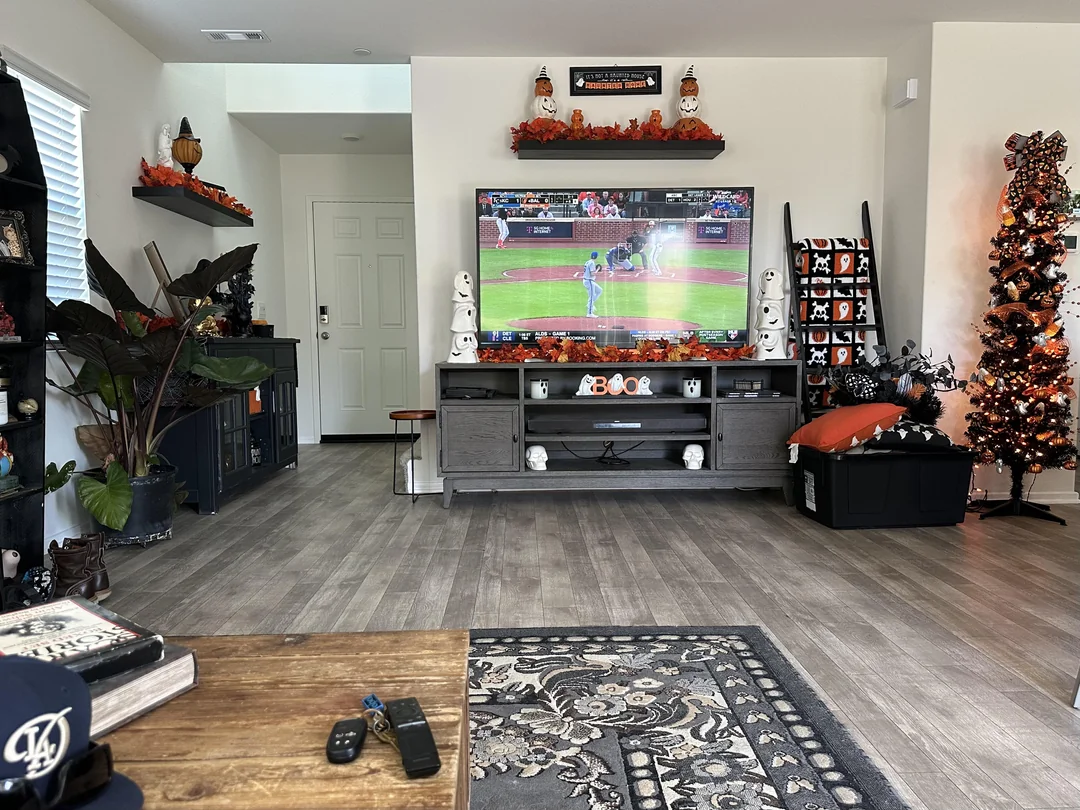
The first-timer in a downtown condo
One person, one Full HD TV, Wi-Fi from a router in the same room. New to IPTV and unsure how often they will watch. Live channels in the evening, a film at the weekend.
Their score points to the Premium Pack: good catalogue fit, good connection fit, no need for 4K depth. On duration, uncertainty wins, so they take 1 month, with a reminder to reassess before it ends. If it suits them, a longer plan next time lowers the cost per month.
The series family in a suburban house. Two adults and a teenager, a large 4K TV in the family room on a cable, and a habit of watching whole seasons together. One stream at a time is enough, since they watch together. Their score favours the VIP Premium Pack for its series library. Having tested on a short plan before, they know the service suits them, so they choose 12 months and note the end date in the family calendar.
The home cinema owner in a rural bungalow. A large 4K screen and a keen interest in 4K live channels, but a line that tests well in the morning and dips in the evening. Their score is torn: the Ultimate 4K Pack fits the screen, but the connection fit is only partial. They start with 3 months, watch in 4K when the line allows and in Full HD at busy hours, and decide on the next duration once they know how the evenings behave. The guide to 4K IPTV explained helps them check the rest of the picture chain.
Short plan or long plan
The duration question often comes down to temperament as much as arithmetic. Here are the honest strengths and limits of each end of the range.
A short plan suits you when
- You are new to IPTV or new to us
- You want to test on your own devices and at your busy hours
- Your viewing changes with the seasons
- You are staying somewhere for a limited time
- You like the option to stop or switch packs soon
A long plan suits you when
- You already know the service works on your screens
- Your viewing habits are settled
- You want the lowest cost per month
- You prefer one payment and no reorders
- Your connection and devices are stable
If you tick items in both columns, choose the middle: 3 or 6 months. Those durations give a lower cost per month than monthly ordering, while still giving you a checkpoint within the year. Nothing renews by itself at the end, so you can move to a longer or shorter plan next time with no exit process.
Pick the pack for your screen and the duration for your certainty. The rest is a quick division on the pack page.
Matching a plan to the shape of your year
Viewing habits in Canadian homes rarely stay flat from January to December. Long winter evenings, a summer spent at the cottage, a semester away, a move to a new apartment: each of these changes how many months of IPTV you will actually use. Matching the duration to the shape of your year is often a better guide than the cost per month alone.
| Your situation | Duration that often fits | Why |
|---|---|---|
| Trying IPTV for the first time | 1 month | Enough to test your screens, players and busy hours before committing |
| A student term away from home | 3 months | Covers a term without paying for months spent elsewhere |
| The colder half of the year at home | 6 months | Matches the stretch when evenings are spent indoors |
| A settled household with stable habits | 12 months | One decision for the year and the lowest cost per month |
| Moving house soon | 1 or 3 months | Lets you check the new home’s connection before a long plan |
| Unsure about your internet line | 1 month | A short window to measure evening speeds on the real screens |
The point is not to follow the table rigidly. It is to ask a better question than “which plan is cheapest per month”. Ask instead “how many of the coming months will I genuinely watch, on this connection, in this home”. If the honest answer is all of them, a long plan makes sense. If the answer includes a move, a long trip or a season of doubt, a shorter plan protects you, and nothing stops you from moving to a longer one next time.
Because there is no automatic renewal, a plan never quietly rolls over while you are away. That makes the shorter durations particularly comfortable for anyone whose year has gaps in it, and the longer ones particularly comfortable for anyone whose year does not.
A pre-order checklist
Before you open a pack page and pay, run down this short list. Each tile is one question that, answered now, saves a message to support later. Most take seconds; the speed test takes a few minutes spread over three evenings.
Device ready
Your TV, box or stick lists at least one supported player in its official app store.
Speed measured
An evening test beside the TV clears the figure for the quality you want.
Language confirmed
If a specific language matters, support has answered before you pay.
Screens agreed
Your household knows one stream plays at a time, or has asked support about more.
Duration matched
The months you choose match the months you will really watch.
Inbox checked
The e-mail address you will enter at checkout is one you read, and its spam folder is easy to reach.
If every tile is ticked, ordering is a two-minute job and the first evening is usually smooth. If one is not, deal with it first. A missing player, a weak signal in the TV room or an unconfirmed language will not fix themselves after payment, and they are the source of most first-week questions we receive.
What to look for in any IPTV offer
You may be comparing us with other sellers, and you should. Apply the same yardstick to everyone, including us. Here is what we would check on any page that sells IPTV subscription plans before handing over a card number.
- Clear durations and clear renewal terms, written down rather than implied.
- Published catalogue figures you can check, not slogans about “everything”.
- A real support contact, such as an e-mail address or a messaging number, that answers a question before you pay.
- Honest screen rules that say how many streams can run at once.
- Standard payment methods, such as card or PayPal, at a normal checkout.
- Players installed from your device’s official app store, never from a file sent by chat.
- A neutral answer on legality: the technology is legal; whether a service is legal depends on the broadcasting rights it holds, so check before subscribing.
Be especially wary of offers that push you towards unusual payment routes, promise unlimited screens without conditions, or ask you to install software from outside the official store. Those are signs worth walking away from. Our guide to IPTV red flags lists the warning signs in more detail, and the best IPTV Canada hub shows how to score providers on equal terms.
A good test costs nothing but a few minutes: send each seller the same question before buying, for example about your device or a language, and judge the clarity of the reply. A seller who answers clearly before you pay is more likely to answer clearly afterwards.
Paying and receiving your access
Payment is a one-time transaction in Canadian dollars, by card or PayPal, at a standard checkout. There is no subscription mandate to cancel later and nothing stored to charge you again automatically. Once payment goes through, your access is e-mailed within minutes.

What arrives in your inbox
Your access comes either as Xtream Codes details, meaning a server URL, a username and a password, or as an M3U link. Most players accept one format or both. Keep the e-mail somewhere safe: you will need it again whenever you set up a new device.
- Check spam and promotions folders if nothing shows up.
- Use the same e-mail address you entered at checkout.
- Do not place a second order if the message seems missing; ask support.
The full story of payment, from checkout to the access e-mail, including what to look for when paying any IPTV seller, is in our guide to paying for IPTV in Canada. If you need help entering the details into a player, the how to set up IPTV hub walks through each format step by step, with dedicated guides to Xtream Codes and M3U links.
How to order in five steps
Once you have your pack and duration, ordering takes a few minutes. Here is the full sequence from decision to first channel.
- Step 1
Choose your pack
Weigh Premium, VIP Premium and Ultimate 4K against your screen, your habits and your evening speed test.
- Step 2
Pick a duration
1 month if you are unsure; a longer plan for a lower cost per month once you know the service suits you.
- Step 3
Check the price and pay
See current prices on the pack page, then pay once in Canadian dollars by card or PayPal.
- Within minutes
Open your e-mail
Your Xtream Codes details or M3U link arrive. Check spam if nothing shows up.
- Same evening
Set up your player
Install a supported player from your device’s official app store and enter your details. Support can guide you step by step.
If anything goes wrong between steps three and five, our troubleshooting section covers the common hiccups, from a login that will not go through to a channel list that stays empty. Most first-evening problems are a typo in one field, and the checklist finds them quickly.
Renewing, switching and changing packs
Because nothing renews automatically, the end of a plan is simply a decision point. You can order the same pack again, move to a different pack, choose a different duration, or stop. There is nothing to cancel and no contract to close.
Deep dive: what happens when a plan ends
On the last day of your term, access stops. Your player will usually show an “expired” or “inactive” message the next time it connects. Nothing is charged, and no reminder fee or penalty applies. When you order again, a new access e-mail arrives within minutes. Edit the saved account in your player with the new details rather than adding a second entry, then reload the channel list. If you liked your settings, such as favourites and the decoder choice, they usually survive an account edit but not a deletion.
Switching packs follows the same logic. If you started on the Premium Pack and find you want more series, choose the VIP Premium Pack when your plan ends. If you want to change sooner, write to support to discuss your options; we will tell you plainly what is possible.
Set a reminder when you order: a calendar entry a few days before the term ends gives you time to decide calmly, rather than discovering the end date on a busy evening. It also gives you a natural moment to reassess whether your current pack still fits the way you watch.
If you want to keep watching without a gap, reorder a little before the end date. If you are not sure, let the term run out and decide afterwards; nothing is lost except the evenings in between.
Plan words in plain language
Order pages and setup e-mails use a handful of terms that are easy to misread. Here is what each one means for you in practice.
- Pack
- The catalogue you buy: Premium, VIP Premium or Ultimate 4K.
- Duration
- How many months one payment covers: 1, 3, 6 or 12.
- One-time payment
- A single charge for the whole duration, with nothing set up to charge you again.
- Automatic renewal
- A charge that repeats on its own at the end of a term. Our plans do not have it.
- Simultaneous connection
- One stream playing at a time. Each pack includes 1.
- Xtream Codes
- Three login fields used together: the server address, your username and your password.
- M3U link
- A single playlist address some players use instead of separate login fields.
- Cost per month
- What a plan costs for each month it covers, found by splitting its price across its months. It is the fairest way to set durations against each other.
If a term on any seller’s page is unclear, ask what it means for you before you pay. A clear answer is part of what you are buying.
Explore our IPTV subscription plans guides
Each guide in this section goes deeper into one part of the decision. Read the ones that match your remaining questions, then come back to the pack pages when you are ready to order.
Ready to compare prices
Open the pack that fits your screen and see current prices for each duration.
FAQ
Which IPTV subscription plan should I start with?
Pick the pack that matches your screen and habits, then a 1-month duration if you are new. It lets you check stability and players at home before a longer plan.
Does any plan renew automatically?
No. Every plan is a one-time payment. When it ends, nothing is charged, and you simply order again if you want to continue.
Why do you not show prices in this guide?
Prices can change, and an outdated figure in an article would mislead you. See current prices on each pack page, where they are kept up to date.
How do I compare durations without prices here?
Open the pack page, note each duration’s current price and divide it by its number of months. That gives you the cost per month to compare.
Can I use my plan on more than one device?
Yes. Enter the same credentials on several devices in your home and use them one at a time. Each pack includes 1 simultaneous connection.
Can I get more than one screen at the same time?
Only on request. Send support a short note about how many screens you need at once, and they will reply with the conditions and price for your home.
Can I switch packs later?
Yes. With no contract, you can choose a different pack when your plan ends. To change sooner, write to support to discuss your options.
How fast will I receive my access?
Access is e-mailed within minutes of payment, as Xtream Codes details or an M3U link. If it does not arrive, check spam, then contact support.
Which languages does the catalogue include?
It includes French-language and international content. For any specific language, ask support before ordering.
How can I pay?
With a card or with PayPal, in a single Canadian-dollar charge. You sign no contract, and no further charge follows on its own.